2x2 网格,为此为 4 位量子物理学家绘制,16:9 :class Visual_Pun_Logo: def __init__(se…
分享链接 · https://openimages.ajiang.me/p/2094634099248091267/
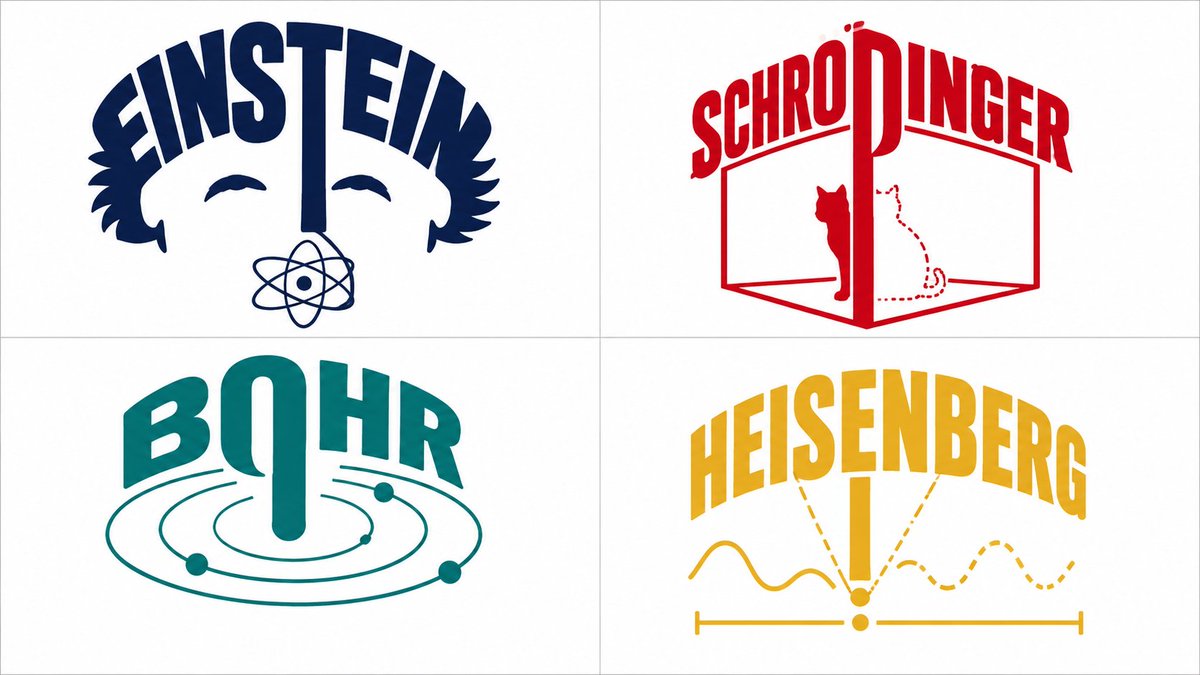
color_palette · high-contrastcolor_palette · vibrantcomposition · multi-panelquality_flags · multi-panel-layoutquality_flags · typography-heavyscene · studio
提示词(原文,逐字保留)
2x2 grid, do this for 4 quantum physicists, 16:9 : class Visual_Pun_Logo: def __init__(self, subject="[$SUBJECT]", word="[$WORD]"): self. style = "Minimalist flat vector illustration, corporate logo design, pure white background." self.palette = "Limited Pantone spot colors (e.g., navy, red, yellow, flat white)." def apply_gestalt_integration(self): # AI AUTO-INFERENCE: Find the structural edge of [$SUBJECT] structural_boundary = infer_upper_boundary(self.subject) # e.g., The rim of a bowl, the roof of a house # The Morphing Rule integration = f"The letters of the word '{self.word}' physically curve to form the {structural_boundary}. The text IS the object." return integration def semantic_letter_transformation(self): # AI AUTO-INFERENCE: Select ONE letter to become a prop target_letter = select_center_letter(self.word) prop = infer_associated_prop(self.subject) # e.g., noodles, steam, a straw transformation = f"The legs of the letter '{target_letter}' extend downward, seamlessly morphing into {prop} inside the {self.subject}." return transformation render_vector_logo(Visual_Pun_Logo())
中文译文
2x2 网格,为此为 4 位量子物理学家绘制,16:9 :class Visual_Pun_Logo: def __init__(self, subject="[$SUBJECT]", word="[$WORD]"): self. style = "Minimalist flat vector illustration, corporate logo design, pure white background." self.palette = "Limited Pantone spot colors (e.g., navy, red, yellow, flat white)." def apply_gestalt_integration(self): # AI AUTO-INFERENCE: Find the structural edge of [$SUBJECT] structural_boundary = infer_upper_boundary(self.subject) # e.g., The rim of a bowl, the roof of a house # The Morphing Rule integration = f"The letters of the word '{self.word}' physically curve to form the {structural_boundary}. The text IS the object." return integration def semantic_letter_transformation(self): # AI AUTO-INFERENCE: Select ONE letter to become a prop target_letter = select_center_letter(self.word) prop = infer_associated_prop(self.subject) # e.g., noodles, steam, a straw transformation = f"The legs of the letter '{target_letter}' extend downward, seamlessly morphing into {prop} inside the {self.subject}." return transformation render_vector_logo(Visual_Pun_Logo())
来源与署名
原文由 @Gdgtify 发布在 X:查看原推文。 本页逐字保留原文并提供机器翻译的中文解读;版权归原作者所有。
同工具的更多提示词
- 时尚大片摄影:一位年轻的东亚女性站在现代极简风格的摄影棚中。她身穿一件鲜艳的宽松橙色连帽衫,宽松的黑色运动裤,裤脚在脚踝处收紧,脚下是一双带白色波浪条纹的黑色…@afrinxai
- 高能动感草莓芬达3D商业广告。 开场场景:极近微距特写镜头,一滴红宝石般的红色液滴在光亮的红色表面上形成完美的水冠,释放出微小的悬浮水泡。 镜头转场:摄像机迅…@HeyRu0by
- "逆光轮廓剪影侧面" 中性通用 制作背光光线效果 >> 将这张照片转变为戏剧性的逆光轮廓侧面肖像。人物的侧面视图,深色背景。强烈的背光勾勒出头发和肩膀的轮廓…@HumanBeing34061
- 一幅沉浸式的专业图像,呈现一片茂密的竹林,高耸的青翠竹竿在头顶弯拱形成一座天然大教堂,斑驳的光影与雾气弥漫的氛围,植物的垂直韵律与生命建筑,沿着林间小路的宽阔…@RockGrokAI
- 创建一段 10 秒、16:9 的表情包风格视频,以源图像作为视觉参考。保留角色的身份、服装、比例和整体场景风格。一个巨大的巨人反复把一个非常小的、受到惊吓的人…@SethCritchley
- 现实主义奇幻电影,高体积光,深景深,Image_1 Image_2 在森林中央的魔法阵上与 Image_3 相会,多个动态镜头角度,15 个镜头切换。http…@nimentrix