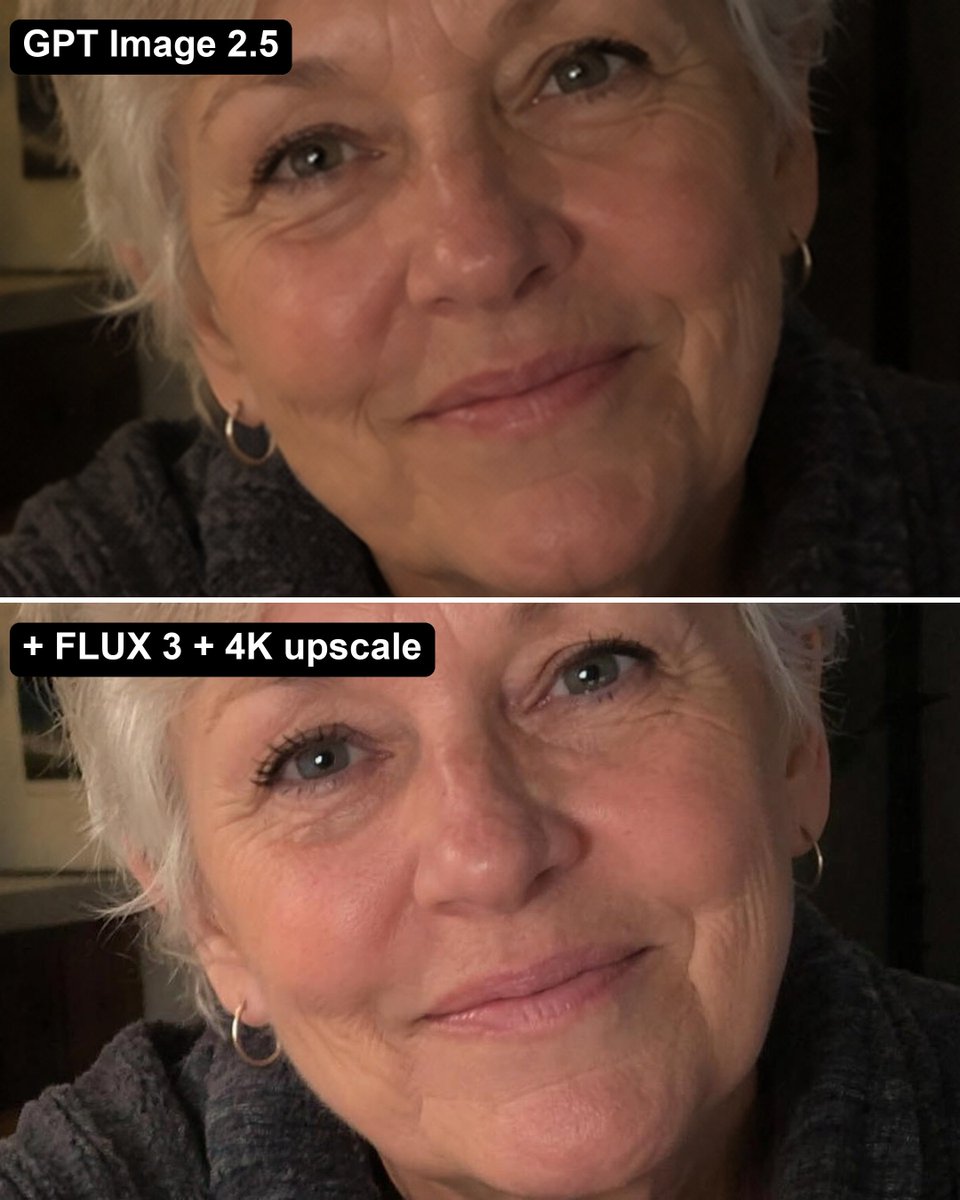
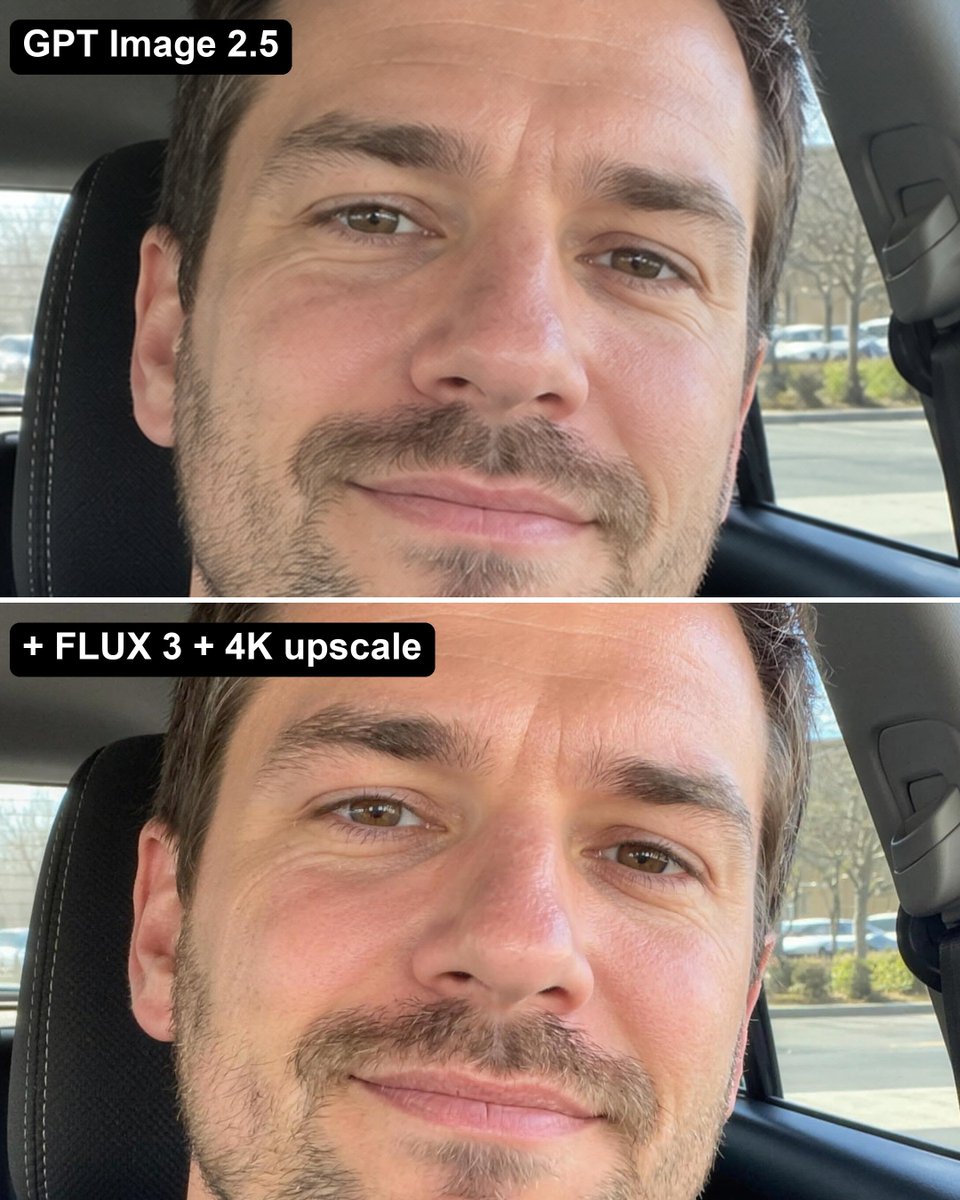
无论你如何向 GPT Image 2.5 提示,生成的人物总是带着那种同样的、像蜡像或黏土一样的 AI 皮肤质感。
分享链接 · https://openimages.ajiang.me/p/2106385510381826138/
camera_lens · shallow-depth-of-fieldcomposition · close-upcomposition · multi-panelhuman_attributes · facial-hairhuman_attributes · short-hairlighting · natural-daylight
提示词(原文,逐字保留)
No matter how you prompt GPT Image 2.5, people come out with that same waxy, clay-like AI skin.
Here's how to fix it...
1. Generate the image in GPT 2.5 like normal
(it's still the best at composition & following your prompt)
2. Run it through FLUX 3 with the GPT image as reference:
"Recreate this exact photo as a real unretouched iPhone photo: same person, same face, same hair, same clothes, same pose, same framing and light. Real skin pores, fine lines, natural colour, slight sensor grain. No text."
3. Upscale it to 4K with Bytedance Upscale
Now it looks like an actual photo.
中文译文
无论你如何向 GPT Image 2.5 提示,生成的人物总是带着那种同样的、像蜡像或黏土一样的 AI 皮肤质感。
下面是如何修复这个问题……
1. 像平常一样在 GPT 2.5 中生成图像
(它在构图和遵循提示方面仍然是最强的)
2. 把生成的图像作为参考图,输入到 FLUX 3 中运行:
"Recreate this exact photo as a real unretouched iPhone photo: same person, same face, same hair, same clothes, same pose, same framing and light. Real skin pores, fine lines, natural colour, slight sensor grain. No text."
3. 使用 Bytedance Upscale 将图像放大到 4K
这样它看起来就像一张真实的照片了。
来源与署名
原文由 @ecomwagyu 发布在 X:查看原推文。 本页逐字保留原文并提供机器翻译的中文解读;版权归原作者所有。
同工具的更多提示词
- 一幅以纽约曼哈顿街道地面极端低角度拍摄的高阶时尚大片。一位美丽的年轻女性拥有白皙自然的肤色与被微风轻拂的浅棕色秀发,自信地伫立在一辆擦亮的复古烧橙色经典圆头灯…@frametheory058
- { "aspect_ratio": "9:16", "style": "editorial lifestyle photography, bold minim…@Just_Anika_Here
- 为 [COUNTRY / CITY / LOCATION / SUBJECT] 创作一张高端 3:4 竖版电影感旅行海报。 仅文生图(TEXT-TO-IMAG…@Goodmanprotocol
- { "prompt": { "scene": "超写实的私密餐厅肖像,一位年轻成年女性坐在一张高档餐桌旁,以抓拍的生活方式摄影形式捕捉,整体呈现温暖的低光氛围…@hardik_lut83675
- 超写实 IMAX 级 Netflix 风格电影感黑白影棚人像,9:16 竖版。使用上传的图片作为主要视觉参考,精确保留面部身份特征、比例和标志性细节。画面中创…@imGopalTiwari
- 创作一张超现实、电影感的照片:一位时尚的年轻女性优雅地坐在一家大型豪华现代美食咖啡馆内。咖啡馆设有高级快餐及甜品柜台,提供精致汉堡、烤肉、沙拉三明治、各类酥皮…@ZunairaSaeedAi