以下是我使用 AI 制作这款 Fanice 冰淇淋 UGC 的完整分步工作流程。
分享链接 · https://openimages.ajiang.me/p/2101379401703116870/
color_palette · pastelcomposition · multi-panellighting · studio-lightquality_flags · typography-heavyscene · studiosubject_type · food-drink
提示词(原文,逐字保留)
Here’s the complete step-by-step workflow I used to create this Fanice Ice Cream UGC using AI.
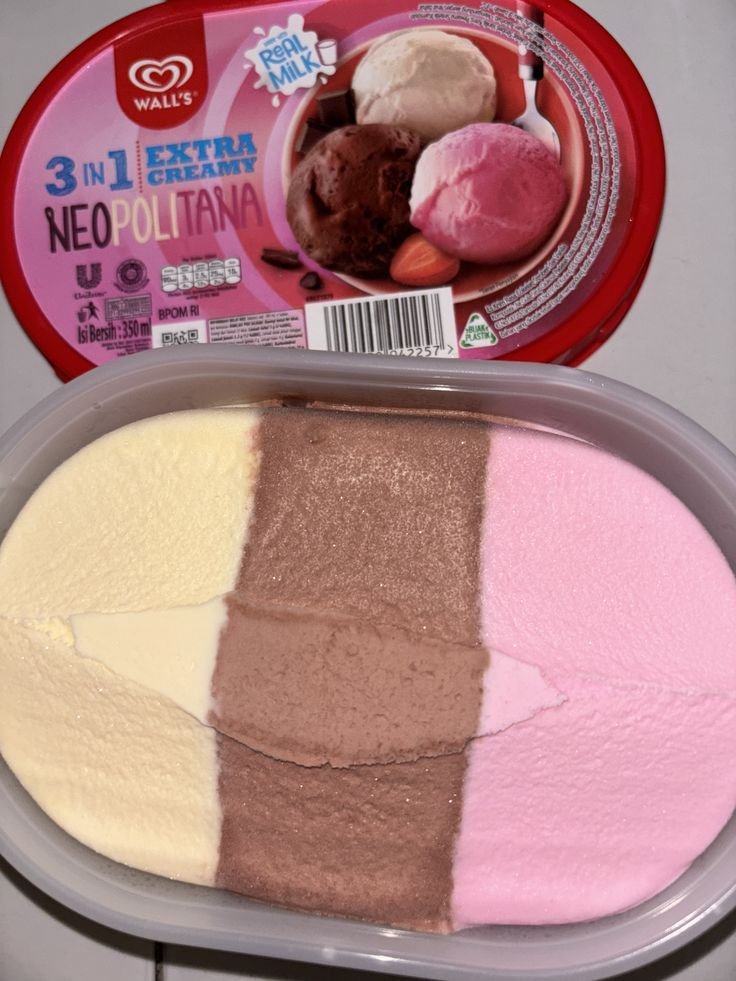
STEP 1: Go to Pinterest and download a clear, high-quality image of the product you want to create the UGC for.
Upload the product image to ChatGPT or Google Flow and use Nano Banana for image generation. Once the image is uploaded, paste the prompt below and run it.
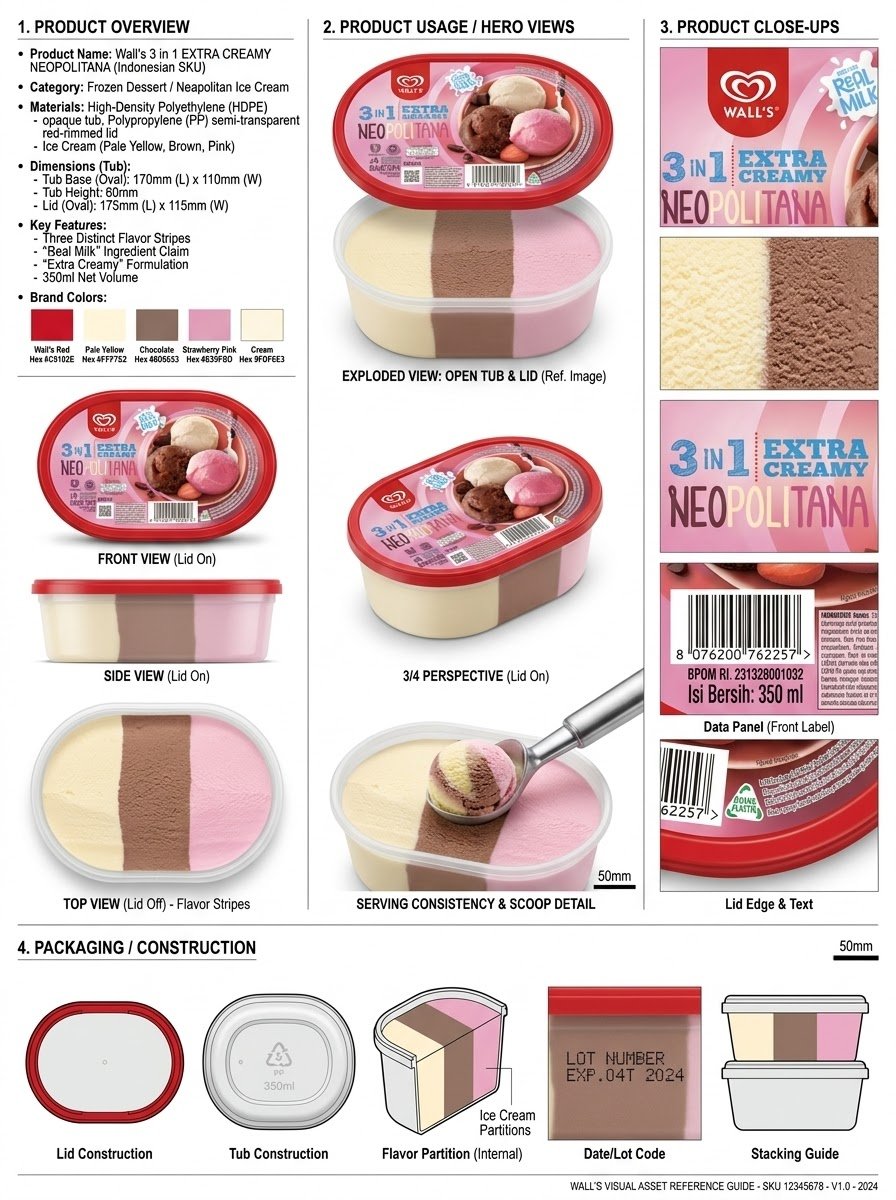
"Analyze the product and create a high-resolution, photorealistic, professional advertising reference sheet containing these four sections, on a clean white/neutral studio background, premium commercial product photography, soft controlled lighting, realistic materials, sharp details, subtle shadows, and a professional editorial grid.
1. PRODUCT OVERVIEW; name, category, materials, dimensions/size, key features, and brand colors.
2. PRODUCT USAGE/HERO VIEWS - front, back, side, 3/4, and functional/use view where relevant.
3. PRODUCT CLOSE-UPS - logo/label, texture/material, key components, packaging details, and other important identifying features.
4. PACKAGING / CONSTRUCTION - relevant packaging or structural views where applicable.
The entire sheet must function as a visual continuity bible for AI image/video production. Every product view must depict the exact same physical product with absolute consistency. Do not redesign, add variants, alter branding, or change proportions. Use cean typography, clear section labels, thin dividers, balanced spacing, sophisticated production-design aesthetic."
中文译文
以下是我使用 AI 制作这款 Fanice 冰淇淋 UGC 的完整分步工作流程。
第一步:前往 Pinterest,下载你想要制作 UGC 的产品的一张清晰、高质量的图片。
将产品图片上传到 ChatGPT 或 Google Flow,并使用 Nano Banana 进行图像生成。图片上传完成后,将下面的提示词粘贴进去并运行。
"分析该产品,并制作一张高分辨率、照片级真实感的专业广告参考图,包含以下四个部分,背景为干净的白色/中性影棚背景,采用高级商业产品摄影风格、柔和受控的光线、真实的材质、清晰的细节、微妙的阴影,以及专业的编辑网格布局。
1. 产品概览;包括名称、类别、材质、尺寸/大小、关键特征以及品牌颜色。
2. 产品使用/主视图 —— 正面、背面、侧面、3/4 角度,以及相关的功能/使用视图。
3. 产品特写 —— 标志/标签、纹理/材质、关键组件、包装细节以及其他重要的识别特征。
4. 包装/结构 —— 适用的包装或结构相关视图。
整张图必须作为 AI 图像/视频制作的视觉连续性参考圣经。每一个产品视图都必须以绝对一致性展示完全相同的实物产品。不得重新设计、增加变体、改变品牌或更改比例。使用简洁的排版、清晰的章节标签、纤细的分隔线、均衡的间距以及精致的制作设计美学。"
来源与署名
原文由 @OlatundeAI 发布在 X:查看原推文。 本页逐字保留原文并提供机器翻译的中文解读;版权归原作者所有。
同工具的更多提示词
- 创建一张9:16竖版时尚编辑大片,呈现大胆、怪诞、毫不费力的酷感街头时尚美学。 一位20多岁的时髦年轻女性以非常贴近地面的低姿态坐着,采用非传统的放松姿势:双…@hey_am_cherry
- 使用 Gemini Nano Banana 2 在 @GeminiApp 上创建 提示词 👇 一位英俊的年轻成年男性,留着蓬松的深色卷发,居中而坐,姿态放松…@pictsbyai
- 使用 Nano Banana 2 @weryai 制作 试试看:https://t.co/BuFfvx9fU8 提示词 👇 创作一幅超写实、高清的美丽年轻 女…@dreamydigiarts
- 使用 Nano Banana 2 制作,发布于 @weryai 试用链接 : https://t.co/BuFfvx9fU8 提示词 👇 使用上传的参考图像中…@dreamydigiarts
- { "vibe_title_en": "Symphony of Milk and Poison", "master_prompt": "一张超现实的中画幅肖像…@timedoctor_nft
- 使用上传的参考图像作为精确的面部身份参考,创作一幅超现实主义奢华美妆肖像。保持同一张脸、面部比例、眼睛形状与颜色、眉毛、鼻子、嘴唇、下颌线、雀斑、肤色以及独特…@Elvorya