想象一下,把你最珍贵的回忆变成一张秋季贴纸。🤎
分享链接 · https://openimages.ajiang.me/p/2098457814507422182/
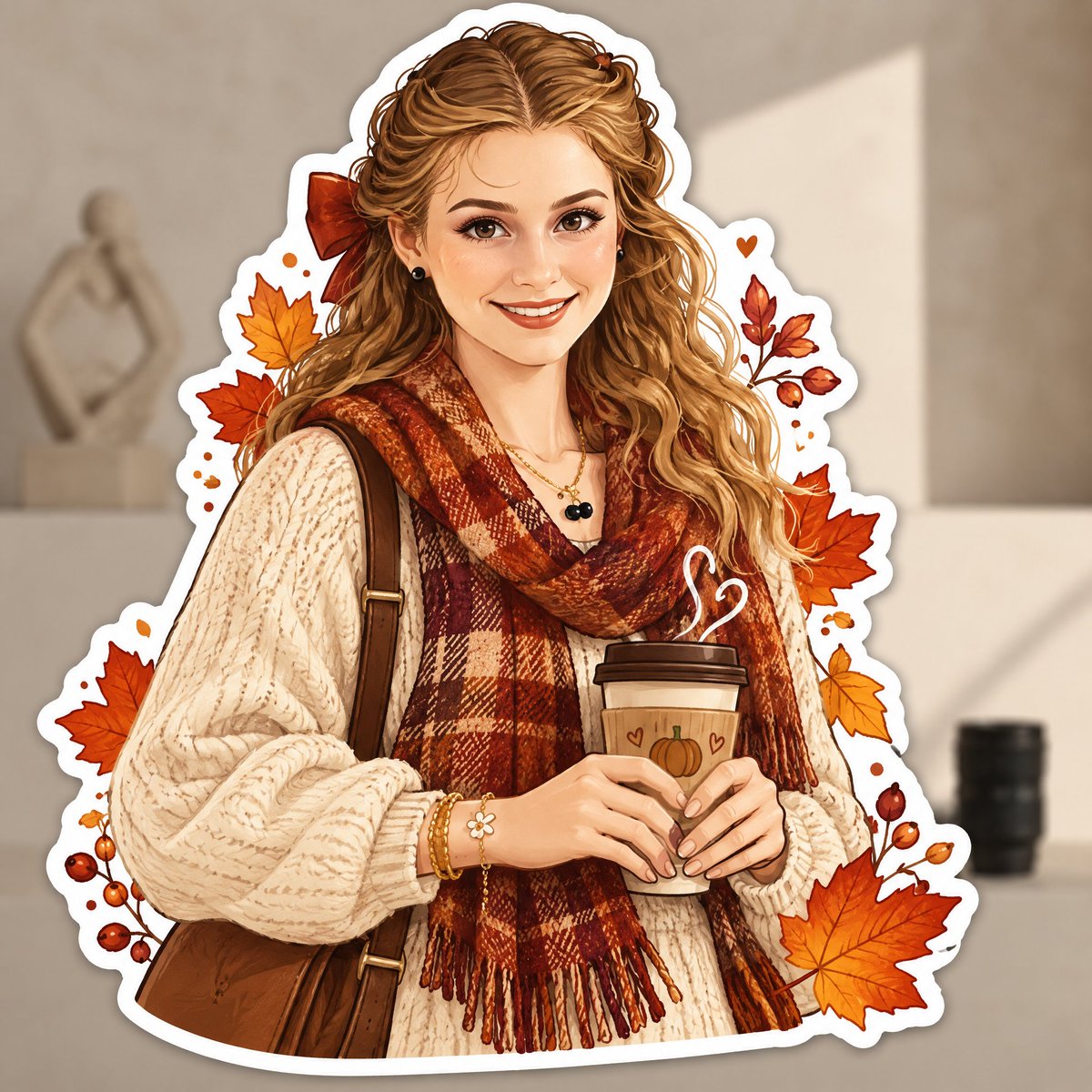
color_palette · warm-tonescomposition · centeredcomposition · medium-shothuman_attributes · jewelryhuman_attributes · long-hairmood · cozy
提示词(原文,逐字保留)
Imagine finding your favorite memory as an autumn sticker. 🤎
A growing collection of creative and trending GPT Image 2.5 prompts, available through an open-source project. Definitely bookmarking this 👇
https://t.co/CVnnyihffk
Prompt
Transform the uploaded photo into a charming AUTUMN ILLUSTRATED STICKER.
IMPORTANT — USE THE UPLOADED PHOTO AS THE CONTENT REFERENCE:
First analyze what is actually present in the original photograph: the person or people, animals, objects, clothing, hairstyle, pose, facial expression, interaction between subjects, surroundings, lighting and distinctive details.
Recreate THIS specific photograph as a completely hand-drawn animated-style illustration.
The final result must NOT look like an edited photograph, photo filter or realistic portrait. Completely redraw the main subject and all important foreground elements as a polished digital illustration.
STICKER TRANSFORMATION:
Turn the main subject or group of subjects into one large die-cut sticker.
Create a thick, smooth white sticker border around the entire silhouette, including important accessories and decorative elements that belong to the sticker.
Add a very subtle soft shadow underneath the white border so the sticker feels like a real physical vinyl or paper sticker placed over the original scene.
Keep the original background from the uploaded photograph visible BEHIND the sticker.
Slightly soften, simplify or gently blur the original background if necessary so the illustrated sticker clearly stands out, but preserve enough of the environment that the original location remains recognizable.
Do not keep a realistic photographic face. The face must also become illustrated.
If the photo contains an animal, transform the animal completely into a cute animated illustrated character while preserving its recognizable breed/type, colors, markings, proportions, pose and personality.
ILLUSTRATION STYLE:
Use a cozy modern digital illustration aesthetic inspired by premium stationery, seasonal stickers and charming editorial character art.
Avoid photorealism, 3D rendering, plastic-looking characters, generic Disney-like characters or childish clip-art.
AUTUMN TRANSFORMATION:
Give the sticker a strong but tasteful autumn identity.
Analyze the original photograph and creatively choose autumn details that naturally fit the subject instead of adding exactly the same decorations to every image.
You may partially redesign the original clothing into a more autumnal version if it improves the result, while keeping the person's overall identity and personality recognizable.
Use an autumn palette inspired by burnt orange, rust, terracotta, cinnamon, caramel, warm brown, muted mustard, cream, beige and deep burgundy.
DECORATIVE STICKER ELEMENTS:
Integrate several small illustrated autumn elements around the main character INSIDE or attached to the sticker silhouette.
For example, leaves can float beside the character, appear in their hair, peek from behind their shoulders or interact with objects they are holding.
Do not scatter random decorations everywhere. Make them feel intentionally composed around the original pose.
Add tiny hand-drawn details such as dots, speckles, sparkles or delicate texture where appropriate.
COMPOSITION :
Preserve the general storytelling and pose of the original photograph, but feel free to simplify or slightly adjust the composition to create a stronger sticker silhouette.
The sticker should be the clear visual focus and occupy a substantial part of the image.
Do not simply draw a white outline around the original photograph.
The transformation must be obvious:
PHOTO → FULLY ILLUSTRATED AUTUMN CHARACTER → DIE-CUT STICKER.
Keep the original photographic background behind it so the contrast between the real environment and illustrated sticker is clearly visible.
中文译文
想象一下,把你最珍贵的回忆变成一张秋季贴纸。🤎
一个不断增长的创意与热门 GPT Image 2.5 提示词合集,通过一个开源项目提供。绝对值得收藏 👇
https://t.co/CVnnyihffk
提示词
将上传的照片转换为一个迷人的秋季插画贴纸。
重要提示 —— 以上传的照片作为内容参考:
首先分析原片中实际存在的内容:人物、动物、物体、服装、发型、姿势、面部表情、主体之间的互动、环境、光线以及独特细节。
将这张特定的照片重新创作为一幅完全手绘的动画风格插画。
最终结果绝对不能看起来像被编辑过的照片、滤镜效果或写实肖像。将主体和所有重要的前景元素完全重绘为一幅精致的数字插画。
贴纸转换:
将主体或主体组合转换为一个大型模切贴纸。
沿整个轮廓创建一圈粗而光滑的白色贴纸边框,包括属于贴纸的重要配饰和装饰元素。
在白色边框下方添加一层非常微妙的柔和阴影,让贴纸感觉像一张真实的实体乙烯基或纸质贴纸,贴在原始场景之上。
保留上传照片中的原始背景,使其显示在贴纸的后面。
如有必要,可以轻微柔化、简化或轻轻模糊原始背景,使插画贴纸清晰突出,但要保留足够的环境,使原始场景仍然可辨识。
不要保留写实的摄影面部。面部也必须变为插画风格。
如果照片中包含动物,请将动物完全转换为一个可爱的动画风格插画角色,同时保留其可辨识的品种/类型、颜色、花纹、比例、姿势和个性。
插画风格:
使用温馨的现代数字插画美学,灵感来自高级文具、季节性贴纸和迷人的编辑角色艺术。
避免照片写实、3D 渲染、塑料感的角色、千篇一律的迪士尼式角色或幼稚的剪贴画。
秋季改造:
为贴纸赋予强烈而雅致的秋季气息。
分析原始照片,创意性地选择与主体自然契合的秋季细节,而不是为每张图都添加完全相同的装饰。
你可以在改善效果的前提下,将原始服装部分重新设计为更具秋季感的版本,同时保持人物的整体身份和个性可辨识。
使用灵感来自焦橙、铁锈红、赤陶、肉桂、焦糖、暖棕、哑光芥末黄、奶油色、米色和深酒红的秋季色调。
装饰性贴纸元素:
在主体周围、内部或贴纸轮廓上,整合若干小型手绘秋季元素。
例如,树叶可以在角色身旁飘浮、出现在他们的头发中、从肩膀后方探出,或与他们手中的物品互动。
不要到处随意散布装饰。让它们感觉是围绕原始姿势有意构图。
在适当的位置添加微小细节,如圆点、斑驳、闪光或细腻的纹理。
构图:
保留原始照片的总体叙事和姿势,但可以自由简化或微调构图,以创造更强的贴纸轮廓。
贴纸应成为清晰的视觉焦点,并占据图像的相当大一部分。
不要只在原始照片周围简单勾一圈白边。
转换过程必须清晰可见:
照片 → 完全插画化的秋季角色 → 模切贴纸。
在其后方保留原始摄影背景,使真实环境与插画贴纸之间的对比清晰可见。
来源与署名
原文由 @Aneeza__S 发布在 X:查看原推文。 本页逐字保留原文并提供机器翻译的中文解读;版权归原作者所有。
同工具的更多提示词
- 根据上传的参考照片,创作一幅高端极简的编辑风格旅行插画。 仅创作插画作品本身。 不要在画面中放置原始照片。 不要使用分屏、拼贴或前后对比的布局。 插画风格 将…@Rosey_watson
- 将每张上传的图像用作唯一的视觉素材。每上传一张就生成一张独立的海报,并分别输出。绝不合并图像。角色:你是一位精通复古胶印、漫画半色调、流行海报以及杂志式视觉提…@theanu_Sayss
- 一个被悉心维护的、写实风格的 1960 年代计算机房。房间中央,一个现代人形机器人悠闲地坐在一张金属凳上,金属手指间夹着一支点燃的香烟,烟头上飘起一缕细细的烟…@TraffAlex
- 超现实昂贵生活方式镜头。画面中有一位女孩。她的头发很长,直发及腰,中分均匀,有几缕发丝垂在脸上。肤色光滑。面部相似度100%。 她身穿一件灰色高领宽松长袖毛衣…@DigitalManSteve
- 一张摄影棚写实摄影作品,85mm 镜头,编辑级精度。一位美丽、无瑕的模特穿着合身的迷你裙和简约上衣,自信地站立,双手握着一个灭火器大小的工业杀虫剂喷雾器,正在…@TraffAlex
- 创建一个可用于游戏的 4x4 精灵图集,恰好包含 16 个动画帧,按从左到右、从上到下的时间顺序排列。 主体: 等距视角的余烬虚空神谕者,身穿长款层叠的黑灰色…@0kncn