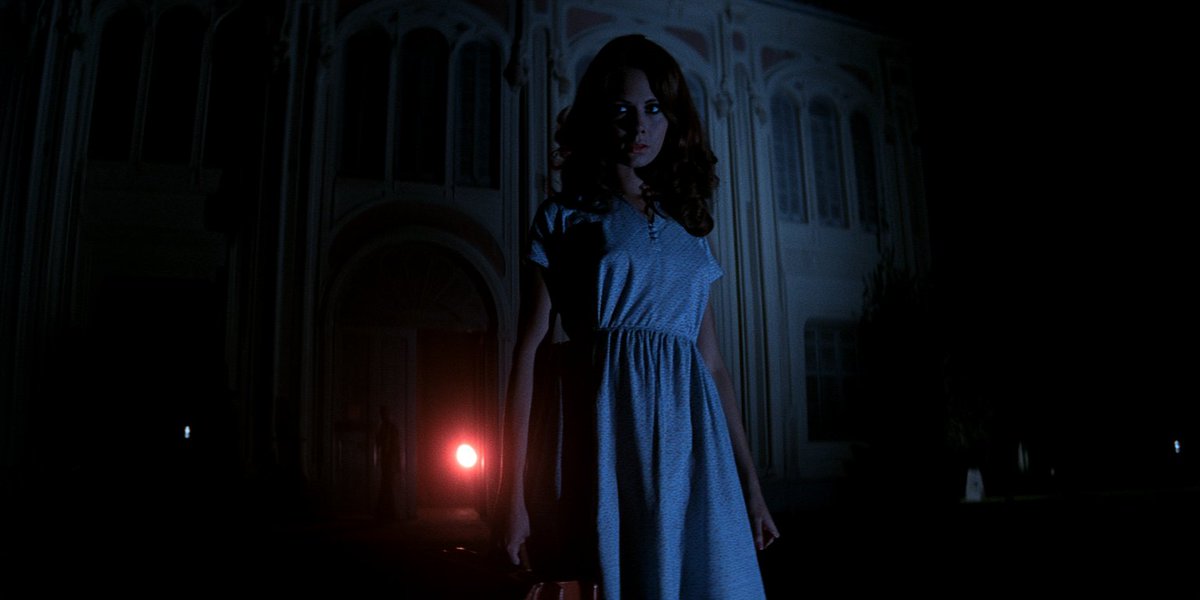
Midjourney 角色设定表方法:从你的 Create(创建)标签页中将一张图片拖到提示栏,并放入 Add to Prompt(添…
分享链接 · https://openimages.ajiang.me/p/2095180830549373308/
composition · full-bodycomposition · multi-panelhuman_attributes · long-hairhuman_attributes · makeuplighting · studio-lightscene · studio
提示词(原文,逐字保留)
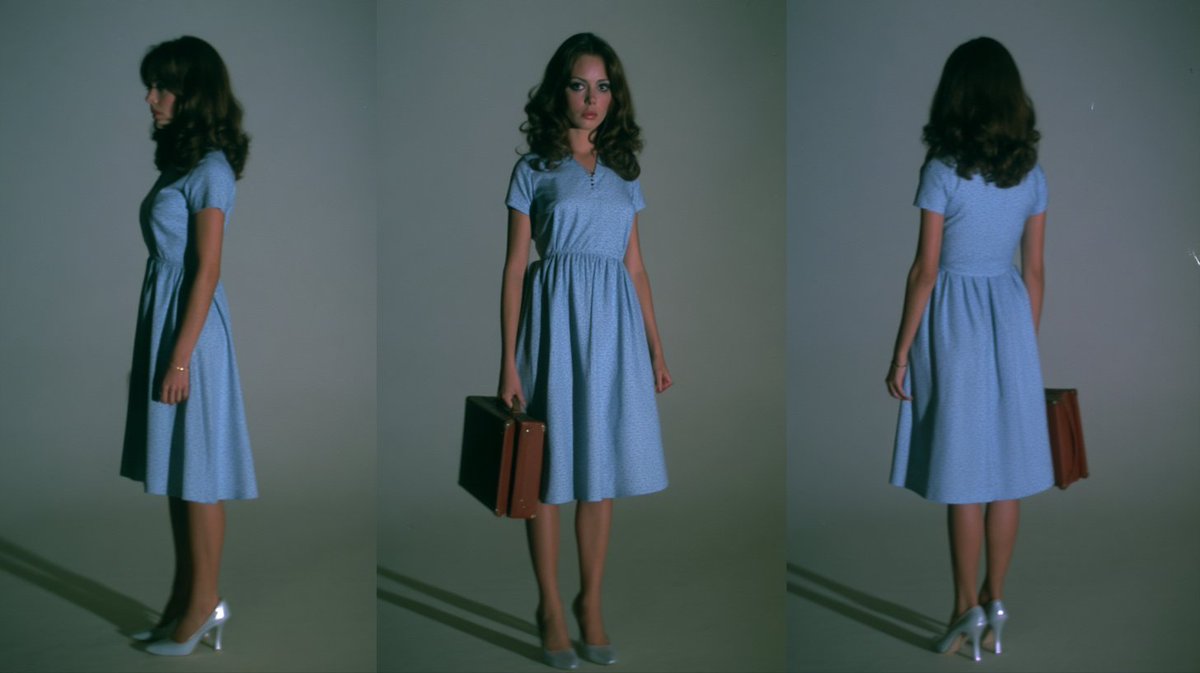
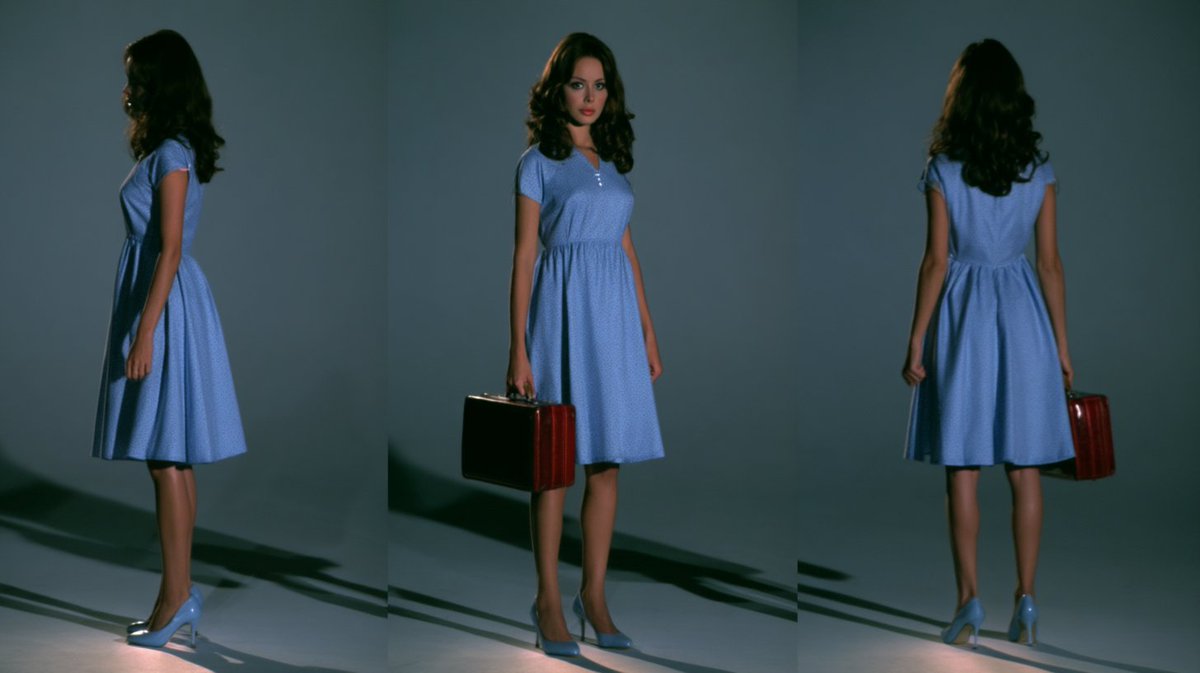
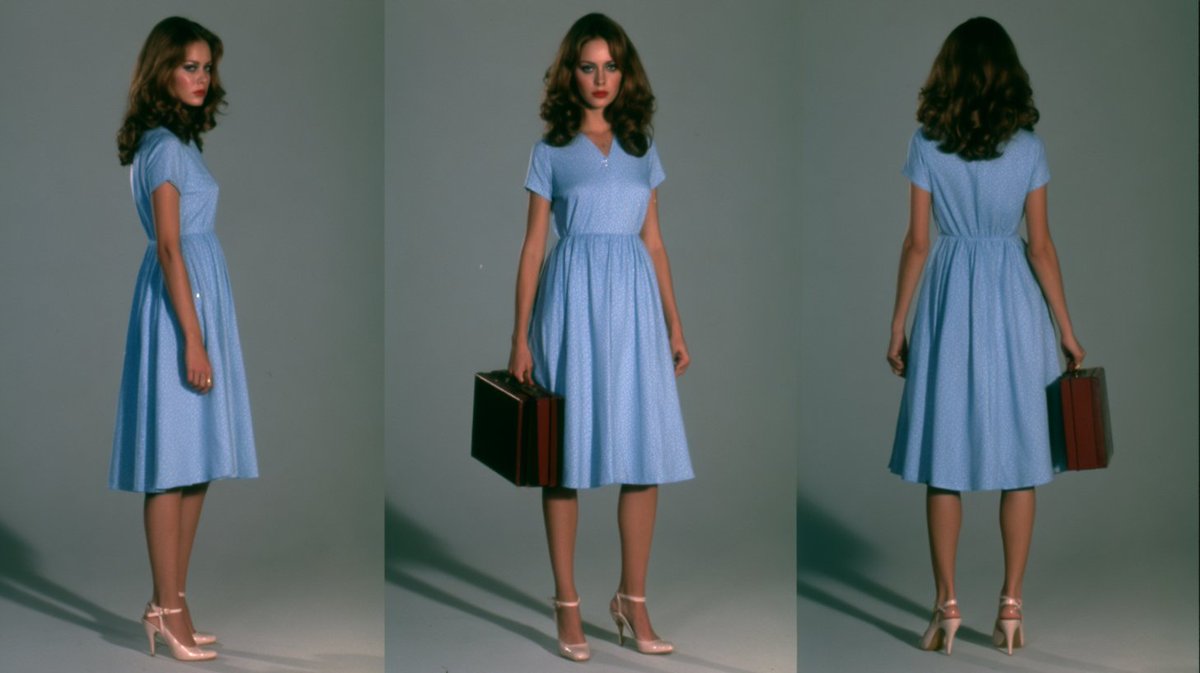
Midjourney characater sheet method: drag an image from your Create tab into the prompt bar and drop it into Add to Prompt. If you used a specific style, profile, and moodboard, you might want to add them to the prompt to maintain the aesthetic (or choose a totally new to change things up!). Then enter a prompt along these lines (play around with order and wording):
"studio photograph, create a character sheet of the woman - full form (head to feet), three angles (front, profile, rear), standing against a neutral gray background with soft lighting, detailed textures, natural skin tone and skin texture, it looks like a real photo, she's wearing a 1970s blue dress and heels"
As you can see, the style, moodboard and profile I used to create the original has a very soft, vintage film look with some blur - that gets fixed by running it through a creative upscaler and prompting once again for "detailed textures, natural skin tone and skin texture, it looks like a real photo" (and you might want to tell it to maintain face details).
中文译文
Midjourney 角色设定表方法:从你的 Create(创建)标签页中将一张图片拖到提示栏,并放入 Add to Prompt(添加到提示)。如果你使用了特定的 style(风格)、profile(档案)和 moodboard(情绪板),你可能需要将它们添加到提示中以保持美学一致性(或者选择一个全新的来改变风格!)。然后输入类似以下内容的提示(可以尝试调整顺序和措辞):
"studio photograph, create a character sheet of the woman - full form (head to feet), three angles (front, profile, rear), standing against a neutral gray background with soft lighting, detailed textures, natural skin tone and skin texture, it looks like a real photo, she's wearing a 1970s blue dress and heels"
如你所见,我用于创建原图的 style(风格)、moodboard(情绪板)和 profile(档案)具有非常柔和的复古胶片风格,并带有一些模糊感——可以通过使用 creative upscaler(创意放大器)进行处理,并再次提示 "detailed textures, natural skin tone and skin texture, it looks like a real photo" 来修复(你可能还想告诉它保持面部细节)。
来源与署名
原文由 @ChrisGwinnLA 发布在 X:查看原推文。 本页逐字保留原文并提供机器翻译的中文解读;版权归原作者所有。
同工具的更多提示词
- 以上传参考图像作为确切的面部身份参考。保持相同的脸型、五官特征、眼睛、鼻子、嘴唇、肤色以及自然比例。打造一张逼真、自然、身份一致的面孔。一位年轻女性,留着蓬松…@meAsifAi
- 《米色中的巨石》 提示词⤵️ 主体:一位姿态从容的女性时尚模特,深色头发向后梳成低垂光滑的发髻,佩戴深色玳瑁纹方形太阳镜和精致的金色圈形耳环。她端坐在一个大型…@Ozayrr_irl
- 一个天使 --ar 2:3 --profile pz8oy84 z5cd14f 2hwt1bg jk7jdw4 aapeo7t ufpt5t5 w6z9nwr…@deebeeeff
- [Midjourney v8.2 提示词] | ar 9:16 2K Ultra 创建于 @TopviewAIhq @topviewaijp #Topview…@woleswoosh
- 超写实电影级真人画质,硬科幻美学,自然胶片颗粒,真实色彩科学,以及照片级生物质感。一张4K电影剧照:一名身穿饱经风霜的战术环境服、头戴透明玻璃头盔的人类探险家…@itsPixieVerse
- 思绪沉溺,随色彩漂流 使用 Midjourney v6.1 制作 提示词 水下沉浸式电影感特写肖像,一位年轻东亚女性沉入水中,周围环绕着游动的发光红白锦鲤。她…@afrinxai