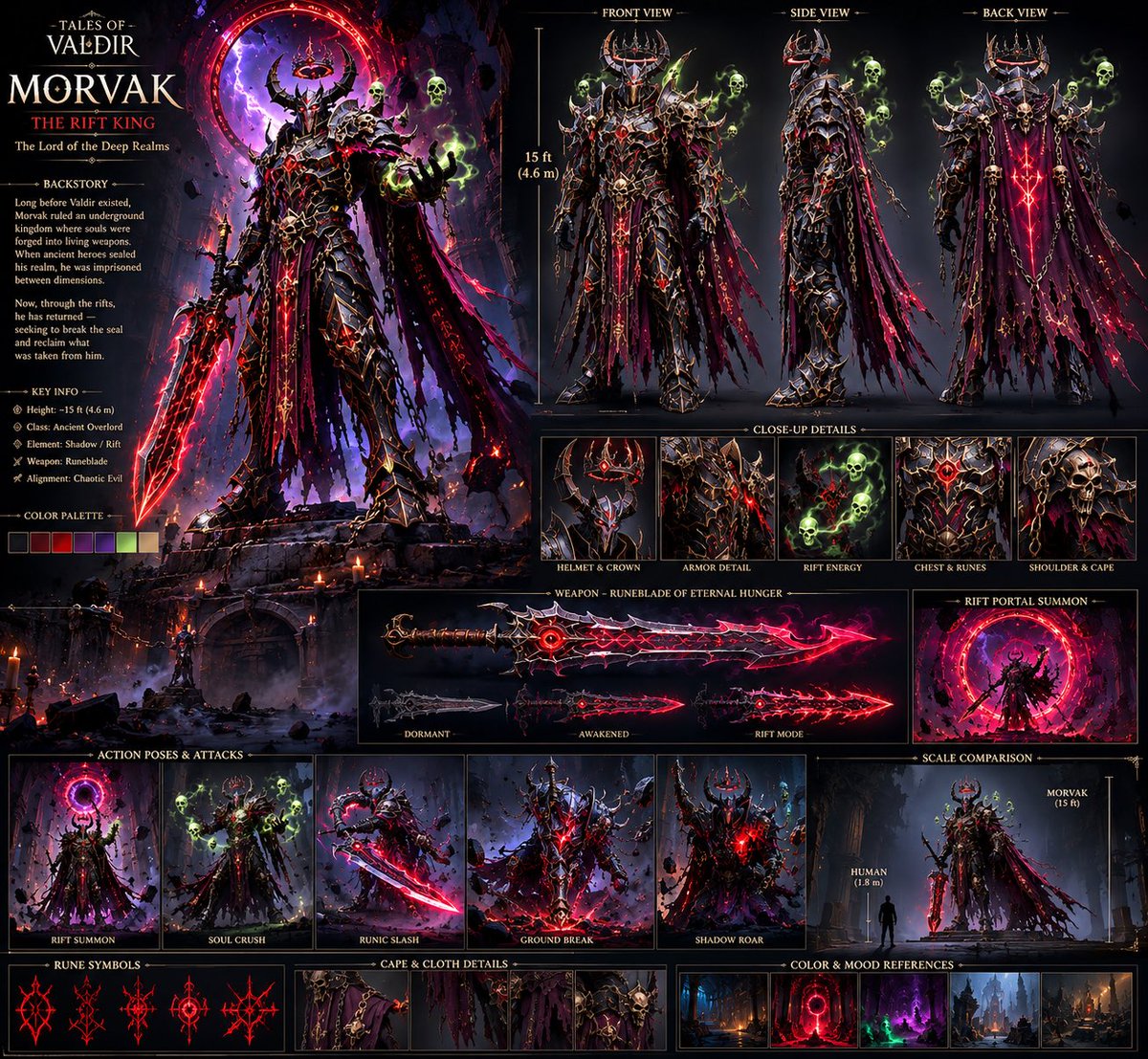
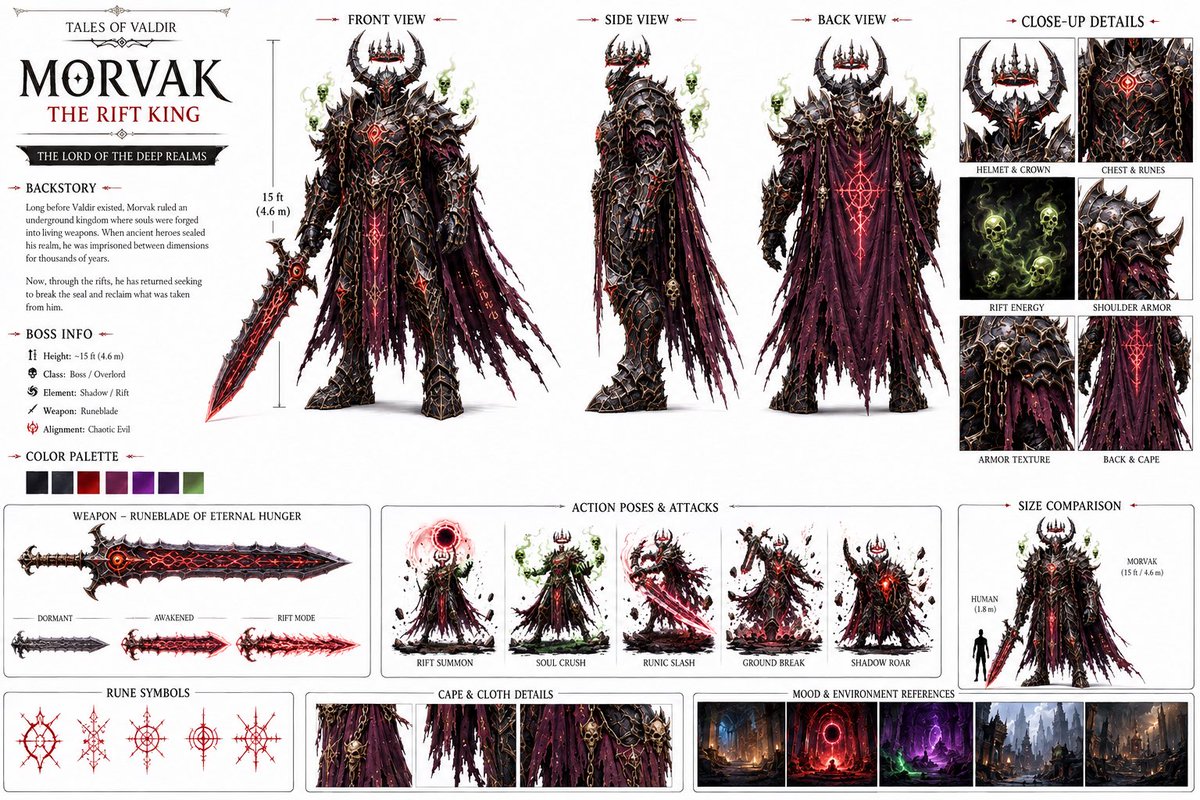
“创建一个电影感黑暗奇幻Boss角色设定图,包含正面/侧面/背面视图,保持一致的15英尺高身披盔甲的魔王,全身覆盖黑色符文的盔甲,角状…
分享链接 · https://openimages.ajiang.me/p/2090459043978412360/
color_palette · dark-moodycomposition · multi-panelhuman_attributes · headwearlighting · low-keymood · dramaticquality_flags · embedded-text
提示词(原文,逐字保留)
“Create a cinematic dark-fantasy boss character sheet, front/side/back views, consistent 15-foot armored demon king, black rune-covered armor, horned crown, shredded purple cape, glowing red runes, spectral green skulls, massive cursed sword, highly detailed, realistic AAA game concept art.”
2. Build the World
Once the character was locked, I created the environments around him instead of throwing him into random backgrounds.
Cursed forests
Ancient gothic cathedrals
Underground kingdoms
Massive Rift portals
Deep realm cities
Example prompt:
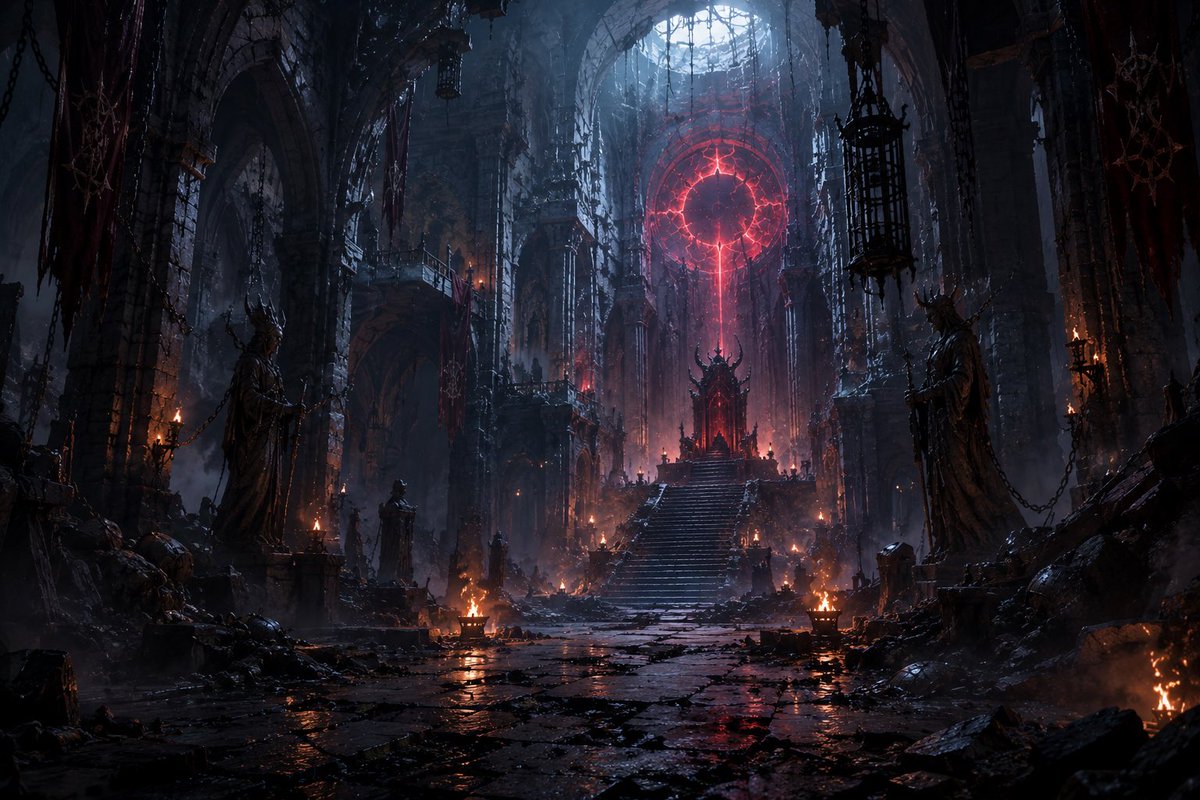
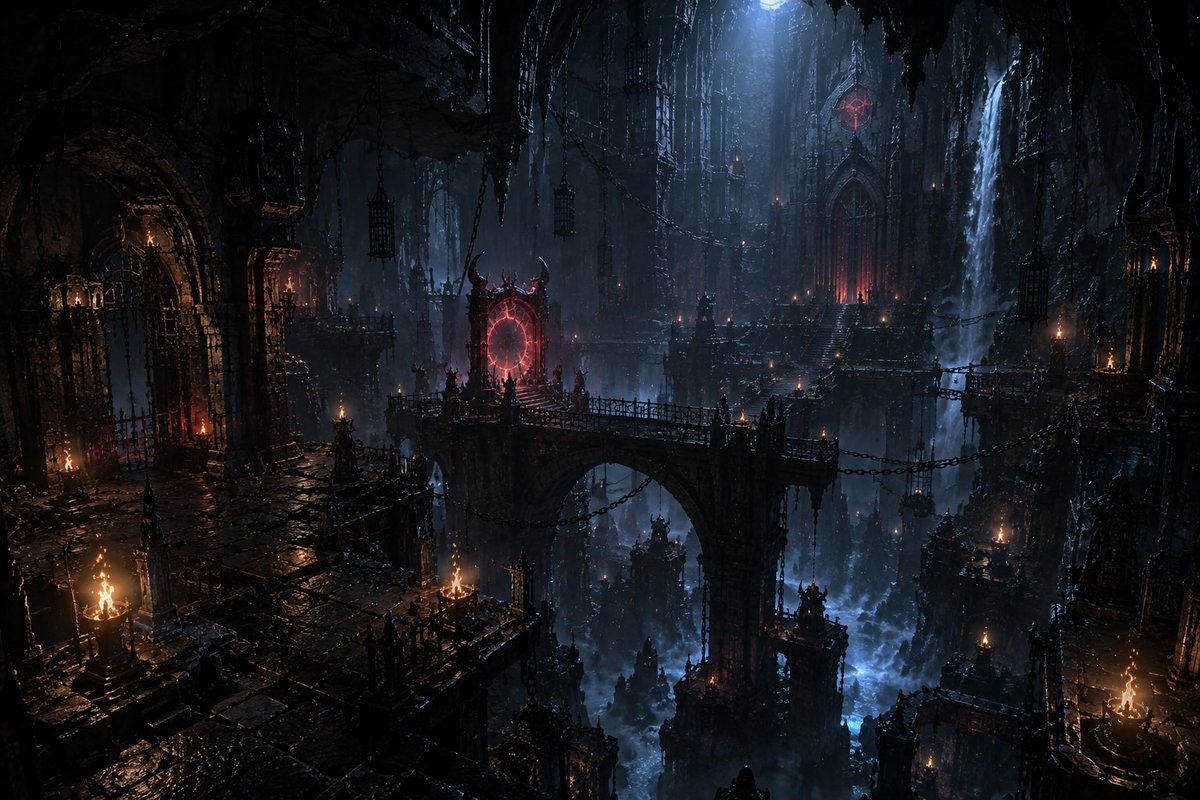
“Vast underground gothic kingdom, colossal ruined cathedral, ancient stone bridges, hanging chains, burning braziers, red dimensional Rift portal glowing in the distance, dark blue atmospheric lighting, cinematic fantasy environment, realistic AAA game world.”
3. Generate the Shots in Seedance 2.5
This is where everything starts moving.
I didn’t try to generate the entire movie in one prompt. I broke the story into individual cinematic shots and kept the character references consistent.
Example:
“MORVAK slowly walks toward the camera through a ruined cathedral, his shredded cape moving in the wind, red runes pulsing across his armor, green spectral skulls circling him, camera slowly pushes forward, cinematic lighting, dark fantasy, realistic movement, epic scale.”
Then I’d generate different shots for:
Establishing shots
Character entrances
Walking/attacking
Rift activation
Close-ups
Power moments
Final boss reveal
4. Compile Everything in CapCut
After generating the clips:
Import all the shots
Arrange them according to the story
Cut out weak frames
Match the pacing
Add transitions/sound design
Adjust the overall look
Then upscale the final edit for a cleaner output.
The important part is that CapCut comes at the end. I don’t use editing to fix a bad generation.
I build the character → build the world → generate controlled shots → then edit everything together.
My biggest tip:
Don’t start by asking AI to “make me a movie.”
Build the world first. Build the character second. Then make the movie.
That workflow alone can make your AI videos feel way more intentional and cinematic.
Bizzy
中文译文
“创建一个电影感黑暗奇幻Boss角色设定图,包含正面/侧面/背面视图,保持一致的15英尺高身披盔甲的魔王,全身覆盖黑色符文的盔甲,角状王冠,破碎的紫色披风,发光的红色符文,幽灵般的绿色骷髅头,巨大的诅咒之剑,高度细节化,逼真的AAA级游戏概念艺术。”
2. 搭建世界观
一旦角色确定下来,我就围绕他构建环境,而不是把他随意丢进随机背景里。
诅咒森林
古老的哥特式大教堂
地下王国
巨大的裂隙传送门
深域城市
示例提示词:
“广阔的地下哥特王国,巨大的废墟大教堂,古老的石桥,悬挂的锁链,燃烧的火盆,远处发光的红色维度裂隙传送门,深蓝色氛围光照,电影感奇幻环境,逼真的AAA级游戏世界。”
3. 在 Seedance 2.5 中生成镜头
一切从这里开始动起来。
我没有尝试用一个提示词生成整部电影。我把故事拆分成单个的电影镜头,并保持角色引用的一致性。
示例:
“MORVAK缓慢地穿过废墟大教堂走向镜头,他破碎的披风在风中飘动,红色符文在盔甲上脉动,绿色幽灵骷髅环绕着他,镜头缓慢推进,电影感光照,黑暗奇幻,逼真动作,史诗级尺度。”
然后我会为以下内容生成不同的镜头:
建立镜头
角色登场
行走/攻击
裂隙激活
特写
力量时刻
最终Boss揭晓
4. 在 CapCut 中合成一切
生成完所有片段后:
导入所有镜头
根据故事进行排列
剪掉较弱的帧
匹配节奏
添加转场/音效设计
调整整体观感
然后对最终剪辑进行放大升频,以获得更清晰的输出。
重要的是,CapCut 放在最后。我不会用剪辑去弥补糟糕的生成。
我先建角色 → 再建世界 → 生成受控的镜头 → 然后再把它们剪辑在一起。
我最大的建议是:
不要一开始就让AI“给我做一部电影”。
先建世界。再建角色。然后再拍电影。
仅是这个工作流程,就能让你的AI视频显得更有意图感和电影感。
Bizzy
来源与署名
原文由 @DRPC777 发布在 X:查看原推文。 本页逐字保留原文并提供机器翻译的中文解读;版权归原作者所有。
同工具的更多提示词
- 图像提示: 为 **DON CRUMBOLINI**(唐·克拉姆博里尼)创作一份高级电影感 3D 卡通**角色设计表**,他是一只拟人化蟑螂,主持一档荒诞的地…@CurieuxExplorer
- 格式:30秒 / Seedance 2.5 / 一个连续镜头 / 高级动画伙伴喜剧 / 真实前置行车记录仪视角 / 完全静止的摄像机 / 自然英语对白 / 4…@CurieuxExplorer
- 以下是使用 Seedance 2.5 语法和规则为第一个场景编写的示例提示词: [Generation Goal] Generate a 3D animate…@maxescu
- 电影感竖屏 9:16 生活向短片。 请遵循附加分镜表的镜头顺序与构图;不要新增镜头。 进度:拉面亮相 → 揭盖 + 调料 → 热水注入并带有真实蒸汽 → 慢速…@ppouladzadeh
- 制作一个30秒、16:9、照片写实风格的手持智能手机家庭视频vlog,恰好使用7个不同的镜头,每个镜头都使用明显不同的机位角度或构图。以 @ image_1…@saniaspeaks_
- 创建一个30秒的超写实电影级中世纪战斗场景,时间设定在公元1200年前后。战斗残酷、节奏快速、体能强度高,基于真实的中世纪格斗。一名凶猛、体格强壮的女战士骑着…@ZaraIrahh