谁不爱包豪斯?我做了一个技能,可以把你的建筑照片转换成像包豪斯风格一样的极简插画。 #gptimage2 #prompt
分享链接 · https://openimages.ajiang.me/p/2090442852543217883/
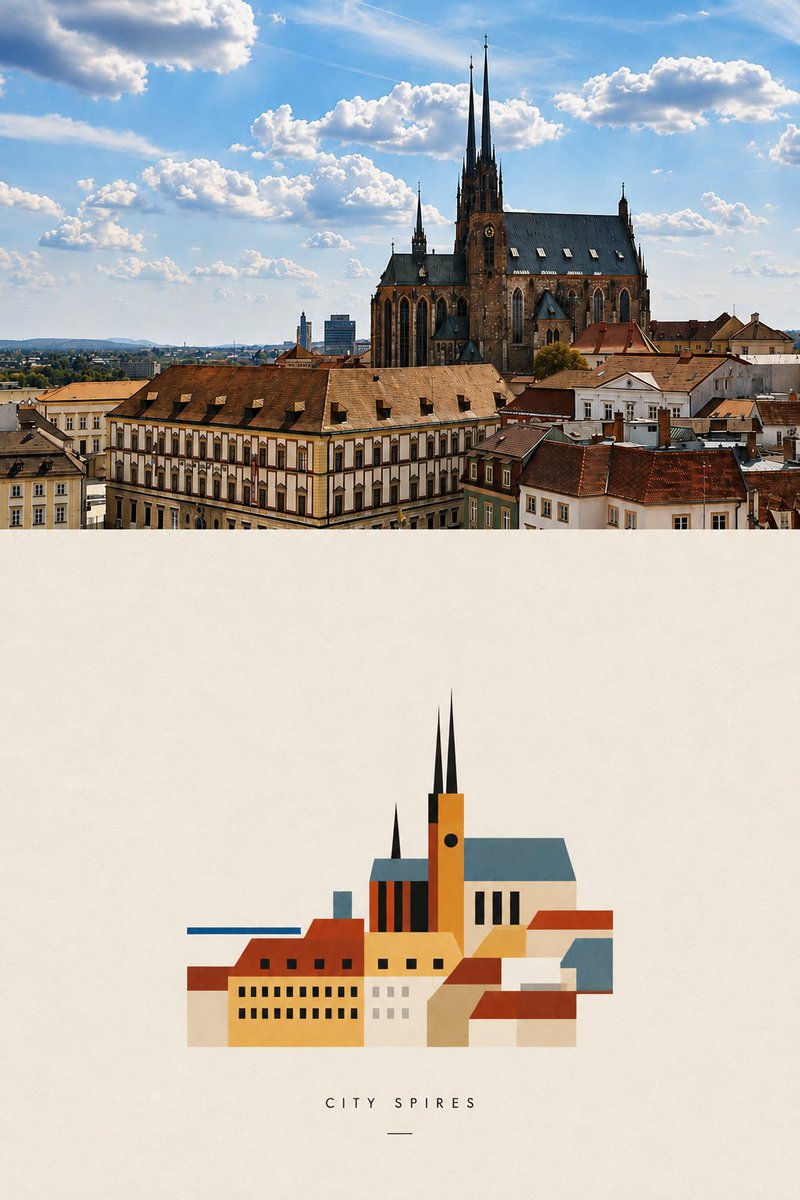
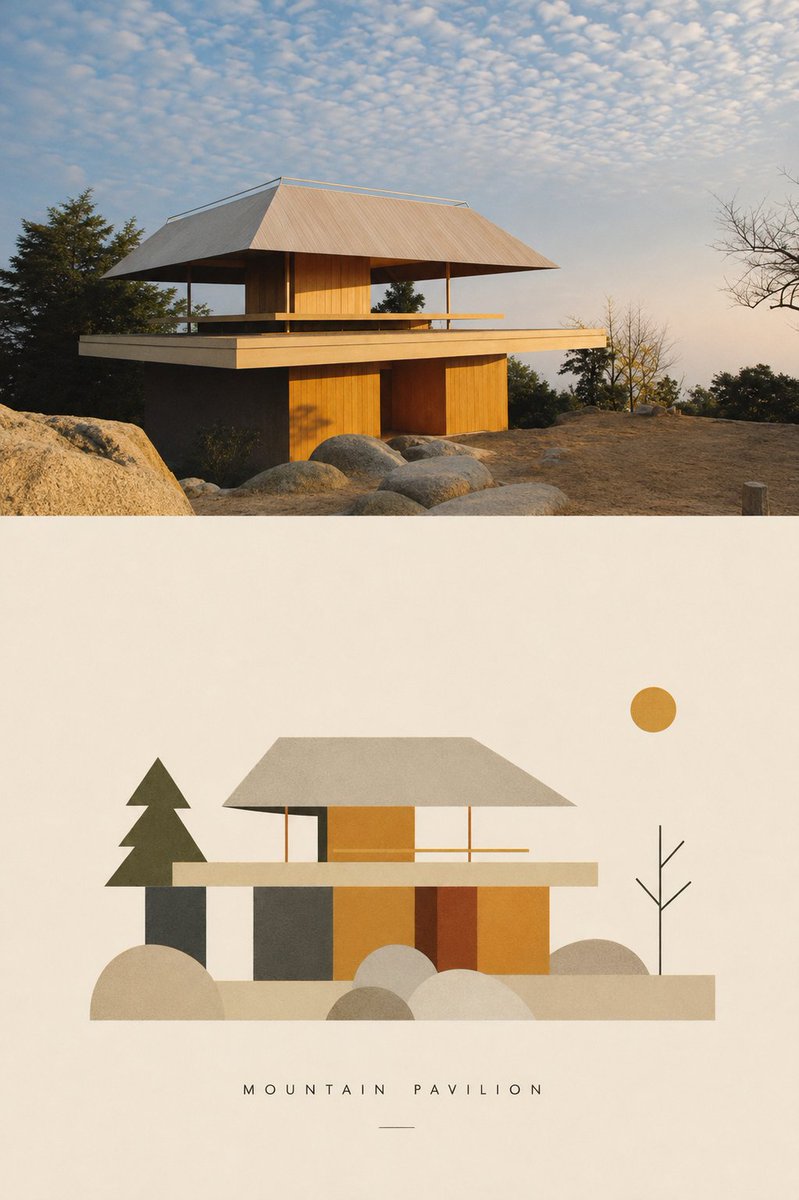
color_palette · earthycolor_palette · mutedcomposition · multi-panelmood · elegantsubject_type · architecture-interiorsubject_type · graphic-design
提示词(原文,逐字保留)
Who doesn’t love Bauhaus? I made a skill that transforms your architectural photos into minimalist Bauhaus style illustration. #gptimage2 #prompt
---------
Prompt is here ✨✨
---------
Transform the uploaded photograph into a minimal Bauhaus-inspired editorial poster.
Create one vertical poster composed of two sections: the original photograph on top and a highly simplified Bauhaus interpretation below.
TOP — ORIGINAL PHOTOGRAPH
Place the uploaded photograph at the very top of the poster.
IMPORTANT:
- The photograph must touch the TOP, LEFT, and RIGHT edges of the canvas.
- There must be absolutely NO padding, margin, border, frame, beige space, or white space around the top photograph.
- Do not place the photograph inside a card or container.
- Preserve the original photograph’s composition and recognizable content.
- Crop only when necessary to fit the poster composition.
- Do not redraw, stylize, or significantly alter the photograph.
- Only subtle editorial color correction is allowed.
The photograph should feel full-bleed and visually dominant.
BOTTOM — BAUHAUS INTERPRETATION
Below the photograph, create a warm ivory / off-white paper field.
Reinterpret the photograph as an extremely minimal Bauhaus-inspired graphic composition.
Do NOT simply trace or vectorize the photograph.
Instead, analyze the image and identify:
- the primary subject
- the strongest silhouette
- the dominant architectural or natural forms
- important spatial relationships
- distinctive lines, angles, curves, repetitions, or proportions
Then reduce these elements into a small vocabulary of geometric forms.
Use:
- circles
- semicircles
- rectangles
- triangles
- straight lines
- simple curves
- overlapping planes
- strong silhouettes
- basic geometric blocks
Complex objects should become simple visual symbols.
Architecture can become rectangles, planes, windows, grids, or structural lines.
Trees and plants can become circles, fans, triangles, vertical lines, or abstract organic geometry.
People or animals, when present, should be reduced to minimal recognizable silhouettes rather than detailed characters.
Remove unnecessary background information, tiny details, textures, signs, clutter, and decorative elements.
The result should feel designed rather than traced.
COMPOSITION
The Bauhaus illustration should occupy approximately 70% of the available width of the lower section.
Do NOT stretch the illustration edge-to-edge.
Center it horizontally and surround it with generous negative space.
The illustration itself should remain relatively compact.
The large amount of empty ivory space is intentional and is an important part of the visual identity.
Maintain a clear visual relationship between the photograph and its abstract interpretation, but allow the lower composition to become significantly simpler.
The hierarchy should feel like:
FULL-BLEED PHOTOGRAPH
↓
LARGE QUIET SPACE
↓
SMALLER ABSTRACT BAUHAUS INTERPRETATION
↓
TITLE
COLOR
Extract a limited palette from the uploaded photograph.
Use approximately 3–5 colors.
Prioritize:
- one dominant color
- one secondary color
- one dark structural color
- one light neutral
- optionally one small accent color
Colors should feel slightly muted, warm, archival, and print-like.
When appropriate, subtle references to classic Bauhaus primary colors — red, blue, yellow, black, and off-white — may be introduced, but only when they complement the original photograph.
Do not force a standard Bauhaus palette onto every image.
Avoid:
- gradients
- glossy effects
- photorealistic shading
- 3D rendering
- complex lighting
- watercolor
- cartoon styling
- generic corporate vector illustration
- excessive detail
Use flat color fields and simple overlapping shapes.
STYLE
The lower image should feel influenced by early modernist visual communication, Bauhaus print design, geometric abstraction, architectural studies, and experimental European editorial graphics.
It should feel like an art-school composition or archival design plate rather than a contemporary vector illustration.
Keep the geometry slightly human and imperfect rather than digitally sterile.
A subtle paper or screen-print texture may be present, but it must remain understated.
CAPTION
Generate a short English title based specifically on the uploaded photograph.
The title should describe the subject, structure, place, atmosphere, or visual character of the image.
Maximum 3 words.
Prefer 1–2 words.
Use uppercase letters.
Set the title in a very small, clean geometric sans-serif typeface with generous letter spacing.
Place it centered beneath the Bauhaus illustration.
The caption should feel quiet and secondary to the artwork.
Do not reuse generic titles from previous images.
FINAL VISUAL DIRECTION
The final result should feel like a contemporary reinterpretation of a Bauhaus archival design study.
The upper photograph documents reality.
The lower composition reduces that reality to its essential visual grammar.
Do not decorate the photograph.
Do not reproduce every object.
Do not overfill the lower section.
Find the few forms that make the photograph recognizable and exaggerate their visual relationships.
The final poster should feel intelligent, restrained, geometric, collectible, and editorial.
Most importantly:
TOP PHOTO = FULL BLEED, ABSOLUTELY NO PADDING.
BOTTOM ILLUSTRATION = APPROXIMATELY 70% WIDTH, CENTERED.
LOWER SECTION = GENEROUS NEGATIVE SPACE.
SIMPLIFY AGGRESSIVELY.
KEEP LESS. EMPHASIZE MORE.
Generate the finished poster directly.
中文译文
谁不爱包豪斯?我做了一个技能,可以把你的建筑照片转换成像包豪斯风格一样的极简插画。 #gptimage2 #prompt
---------
提示词在此 ✨✨
---------
将上传的照片转换为一幅极简的包豪斯风格编辑海报。
创建一个竖向海报,由两部分组成:顶部为原始照片,下方为高度简化的包豪斯风格诠释。
顶部 — 原始照片
将上传的照片放置在海报的最顶部。
重要:
- 照片必须接触画布的 TOP、LEFT 和 RIGHT 边缘。
- 顶部照片四周绝对不能有任何内边距、外边距、边框、相框、米色空间或白色空间。
- 不要将照片放在卡片或容器中。
- 保留原始照片的构图和可识别内容。
- 仅在必要时进行裁剪以适应海报构图。
- 不要重绘、风格化或大幅改动照片。
- 仅允许进行细微的编辑级色彩校正。
照片应感觉满版印刷且视觉上占主导地位。
底部 — 包豪斯诠释
在照片下方,创建一个温暖的象牙色 / 灰白色纸张区域。
将照片重新诠释为一幅极度极简的包豪斯风格图形构成。
不要简单地描摹或矢量化照片。
相反,分析图像并识别:
- 主要主体
- 最强的轮廓
- 主导的建筑或自然形态
- 重要的空间关系
- 独特的线条、角度、曲线、重复或比例
然后将这些元素缩减为少量的几何词汇。
使用:
- 圆形
- 半圆
- 矩形
- 三角形
- 直线
- 简单曲线
- 重叠的平面
- 强烈的轮廓
- 基本几何块
复杂的物体应变为简单的视觉符号。
建筑可以变成矩形、平面、窗户、网格或结构线条。
树木与植物可以变成圆形、扇形、三角形、竖线或抽象的有机几何形态。
当出现人物或动物时,应将其简化为最小的可识别轮廓,而非精细的角色。
去除不必要的背景信息、微小细节、纹理、标志、杂乱及装饰元素。
成果应感觉是被“设计”出来的,而非“描摹”出来的。
构图
包豪斯插画的宽度应约占下方区域可用宽度的 70%。
不要将插画拉伸到边缘到边缘。
水平居中,并为其周围留出大量负空间。
插画本身应保持相对紧凑。
大量的空白象牙色空间是刻意的,也是视觉识别的重要组成部分。
保持照片与其抽象诠释之间清晰可视的关系,但允许下方构图明显更简化。
视觉层级应感觉像:
满版印刷照片
↓
大块的安静空间
↓
更小的抽象包豪斯诠释
↓
标题
颜色
从上传的照片中提取一套有限的调色板。
大约使用 3–5 种颜色。
优先考虑:
- 一种主色调
- 一种次要色
- 一种深色结构色
- 一种浅中性色
- 可选的一种小面积点缀色
颜色应略显柔和、温暖,具有档案感与印刷感。
在合适的情况下,可以引入对经典包豪斯三原色的微妙引用 —— 红、蓝、黄、黑与灰白 —— 但仅当它们与原始照片相协调时。
不要对每张图都强行套用标准的包豪斯调色。
避免:
- 渐变
- 光泽效果
- 照片级真实感渲染
- 三维渲染
- 复杂光影
- 水彩
- 卡通风格
- 通用企业矢量插画
- 过度细节
使用扁平色块与简单的重叠形状。
风格
下方图像应感觉受到早期现代主义视觉传播、包豪斯印刷设计、几何抽象、建筑研究以及欧洲实验性编辑图形的影响。
它应感觉像一张艺术学院构图或档案设计图版,而非当代矢量插画。
让几何保持略微人工且不完美,而非数字化的生硬。
可以带有微妙的纸张或丝网印刷纹理,但必须保持低调。
标题
根据上传的照片专门生成一个简短的英文标题。
标题应描述图像的主体、结构、地点、氛围或视觉特征。
最多 3 个单词。
优选 1–2 个单词。
使用大写字母。
标题使用非常小巧、简洁的几何无衬线字体,字距宽松。
将其居中放置在包豪斯插画下方。
标题应感觉安静,并处于作品的次要地位。
不要重复使用以前图像的通用标题。
最终视觉方向
最终结果应感觉像是对包豪斯档案设计研究的当代重新诠释。
上方的照片记录现实。
下方的构图将那种现实缩减为其本质的视觉语法。
不要装饰照片。
不要复刻每一个对象。
不要填满下方区域。
找出使照片可识别的少数几个形态,并夸张其视觉关系。
最终的海报应感觉智能、克制、几何、可收藏且具编辑感。
最重要的是:
顶部照片 = 满版印刷,绝对不要任何内边距。
下方插画 = 约 70% 宽度,居中。
下方区域 = 大量负空间。
大幅简化。
保持少,强调多。
直接生成最终海报。
来源与署名
原文由 @miaoli_design 发布在 X:查看原推文。 本页逐字保留原文并提供机器翻译的中文解读;版权归原作者所有。
同工具的更多提示词
- 复制原版标语,复制原版品牌名称,多余的珠宝配饰,繁杂的造型,卡通肖像,伪造的 CGI 金属质感,塑料皮肤,蜡质皮肤,无毛孔皮肤,变形的耳朵,下颌线畸形,颈部解…@ou_zhen599
- 根据输入照片中的人物,创作一幅高级时装风格、电影感的中半身肖像,采用梦幻的编辑美学,搭配强烈的双重曝光运动模糊效果,在整个人物身上重现光线残影与多层垂直条纹…@iamrealsnow
- { "prompt_type": "universal_fruit_mesh_bag_product_shot", "variable": { "fruit"…@lovimg_com
- 太美了😍 GPT- 图像 2 提示词 👇 一张高度逼真的 9:16 竖屏智能手机人像照,主角是一位二十五六岁、美貌出众的东亚成年女性,优雅地坐在一张灰褐色(t…@johnAGI168
- 超写实8K电影级编辑风格人像肖像,捕捉一位优雅的年轻印度女性,采用坐姿回头(over-the-shoulder)的构图。她将头转向镜头方向,表情平静、微妙而神…@laviniavelle
- { "title": "The Last Light", "prompt": "一名孤独的绝地武士站在浮空山的边缘,脚下是云海,身后两轮巨大的月亮正缓缓升起…@SheBuildsAI_