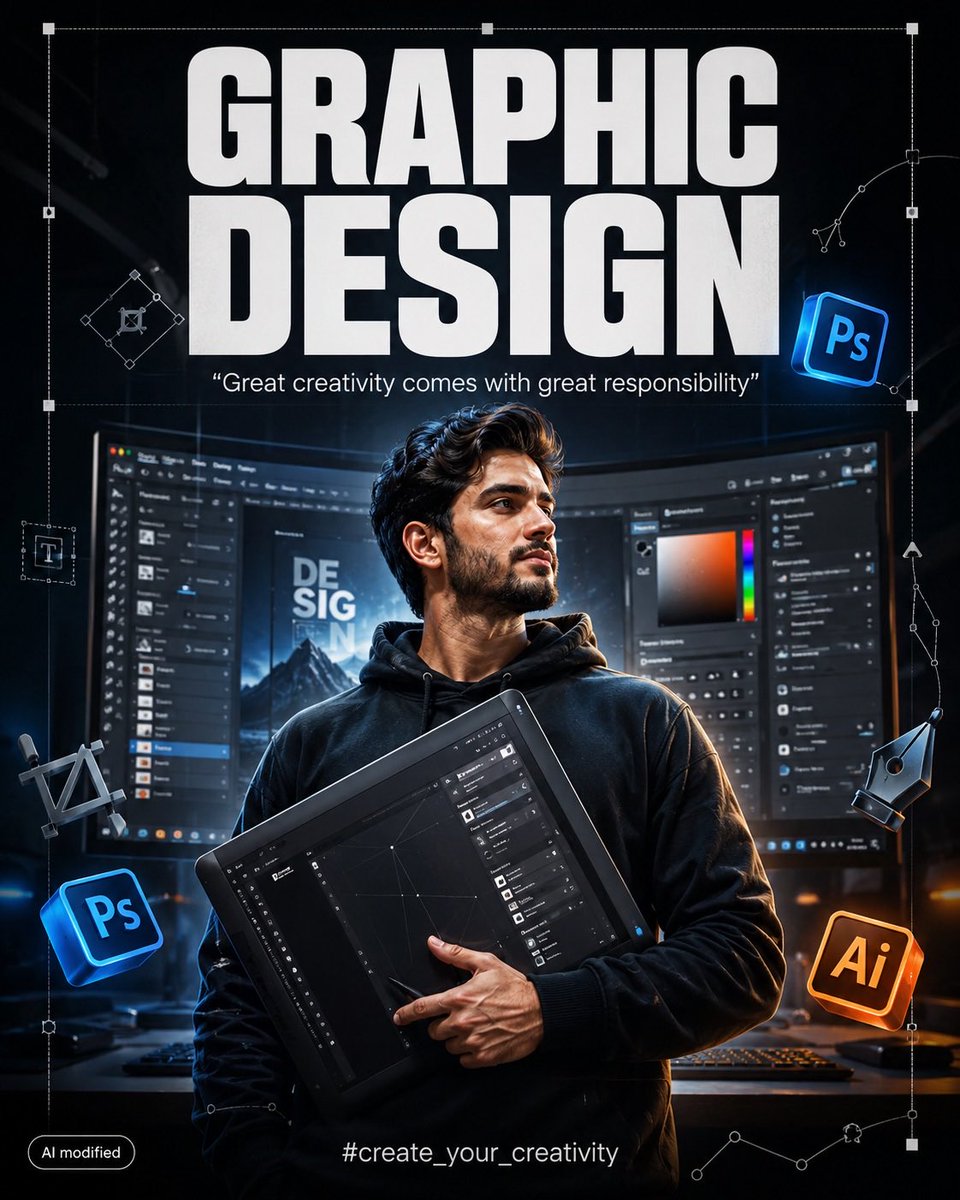
创建一个高端电影感的平面设计(GRAPHIC DESIGN)宣传海报,采用现代专业创意工作室的美学风格。
分享链接 · https://openimages.ajiang.me/p/2087024337807462625/
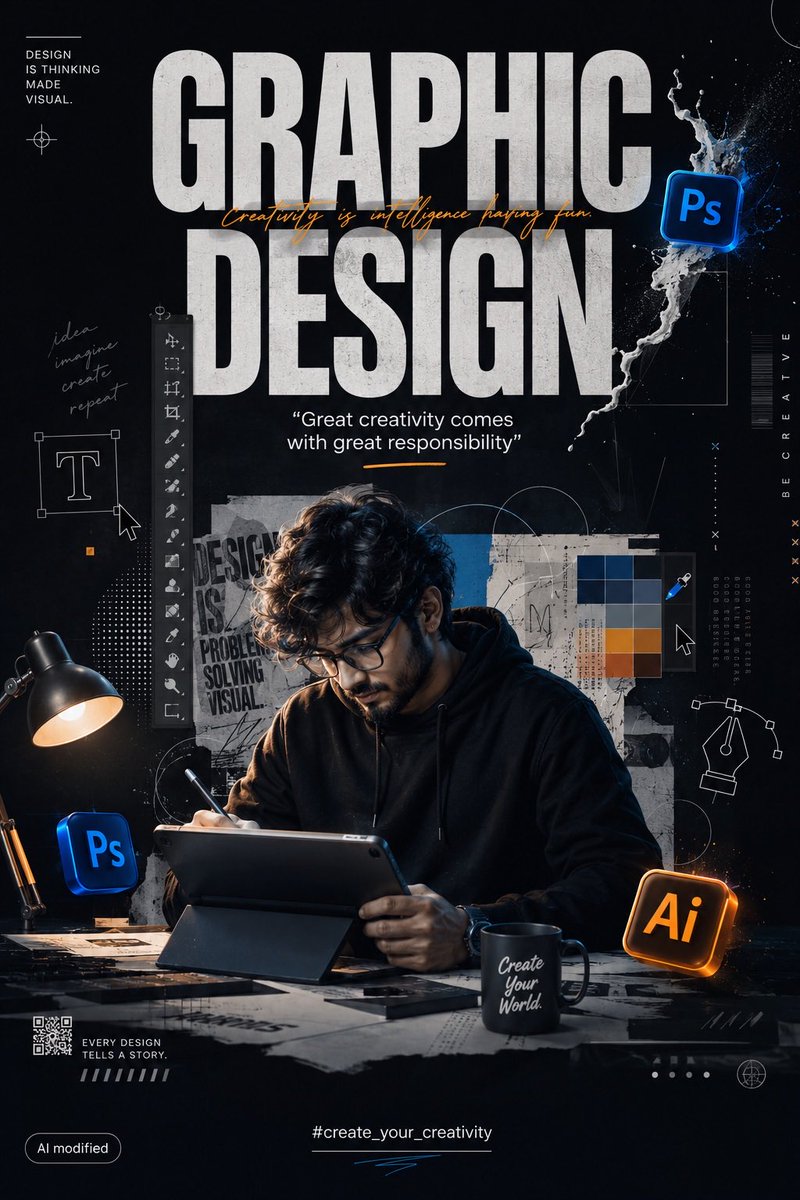
color_palette · dark-moodycomposition · centeredcomposition · medium-shothuman_attributes · hands-prominentlighting · low-keylighting · rim-light
提示词(原文,逐字保留)
Create a premium cinematic GRAPHIC DESIGN promotional poster in a modern professional creative-studio aesthetic.
COMPOSITION:
Vertical 4:5 portrait format. Create a highly polished, realistic graphic-design advertisement/poster. The composition should feel like a professional Behance/Dribbble creative artwork mixed with a cinematic movie poster.
At the very top, place huge bold uppercase typography:
“GRAPHIC
DESIGN”
Use extremely thick, condensed, rounded sans-serif lettering, white, clean, powerful, perfectly centered. The typography should dominate the upper section without covering the main character.
Directly underneath, add a smaller elegant quote:
“Great creativity comes with great responsibility”
Use clean white/light-gray typography with subtle cinematic glow.
MAIN SUBJECT:
Place the main character prominently in the center of the composition, from approximately waist/chest level upward.
The character should have a confident, creative, professional pose, holding a large professional graphic-design tool/tablet/interface element diagonally across the body.
Make the subject look highly detailed and photorealistic, with realistic materials, sharp textures, natural shadows, dramatic studio lighting, and cinematic depth.
The character should visually represent a modern digital artist / graphic designer.
BACKGROUND:
Behind the character, create a large curved computer monitor displaying a professional graphic-design software interface.
The monitor should look like a real modern desktop design workstation with:
- dark Photoshop-style interface
- layers panel
- tools panel
- color picker
- adjustment panels
- typography controls
- editing workspace
- blurred design elements
- realistic monitor reflections
Keep the software interface slightly out of focus so the main character remains the visual focus.
Add subtle perspective distortion to the monitor, making it feel like the character is standing inside a professional creative workstation.
SURROUNDING GRAPHIC ELEMENTS:
Place floating 3D graphic-design icons around the character.
Include:
- Photoshop-style “Ps” icon
- Illustrator-style “Ai” icon
- digital pen tool symbol
- vector-path handles
- selection boxes
- anchor points
- crop/transform symbols
- typography symbols
- geometric design elements
- subtle UI interface fragments
The icons should appear as realistic floating 3D objects with subtle reflections, shadows and depth.
Place one glowing blue Photoshop-style icon toward the upper-right side.
Place another Photoshop-style icon toward the lower-left side.
Place a warm orange Illustrator-style icon toward the lower-right side.
Do not make the icons oversized. They should complement the composition rather than overpower the main character.
DESIGN OVERLAY:
Add subtle white vector lines, geometric construction shapes, Bézier curves, anchor points, selection rectangles and technical graphic-design guides throughout the background.
Some lines should overlap the monitor and extend around the character, creating the feeling of a professional designer's workspace.
Add a large thin white transform/selection bounding box around the central artwork.
Include small vector anchor points and handles around the right side of the composition.
LIGHTING:
Dark cinematic studio environment.
Use dramatic rim lighting around the character.
Strong controlled highlights on the edges of the subject.
Soft volumetric light coming from behind.
Subtle blue and white glow from the computer interface.
Warm orange glow from the Illustrator icon.
Deep blacks, rich shadows and controlled highlights.
Professional commercial photography lighting.
Ultra-realistic reflections and shadows.
DEPTH:
Use strong foreground, middle-ground and background separation.
Foreground elements should have slight depth-of-field blur.
The central character must remain extremely sharp.
The computer interface should be slightly blurred.
中文译文
创建一个高端电影感的平面设计(GRAPHIC DESIGN)宣传海报,采用现代专业创意工作室的美学风格。
构图:
竖版 4:5 人像格式。打造一张高度精致、写实的平面设计广告/海报。整体构图应让人感觉如同专业 Behance/Dribbble 创意作品与电影海报的融合。
在最顶部放置巨大、粗体的大写字母排版:
“GRAPHIC
DESIGN”
使用极粗、窄体、圆角无衬线字体,白色,干净有力,完美居中。排版应主导上半部分,但不遮挡主要人物。
正下方添加一行较小的优雅引言:
“Great creativity comes with great responsibility”
使用干净的白色/浅灰色字体,带有微妙的电影感光晕。
主要主体:
将主要人物显著放置在画面中心,构图大约从腰部/胸部向上。
人物姿态应自信、富有创意、专业感,斜向手持一个大型专业平面设计工具/绘图板/界面元素横跨身体。
让主体看起来高度细节化且照片般真实,具有真实的材质、锐利的纹理、自然的阴影、戏剧化的影棚灯光以及电影感的深度。
人物应在视觉上代表一位现代数字艺术家/平面设计师。
背景:
在人物身后,创建一个大型曲面电脑显示器,显示专业的平面设计软件界面。
显示器看起来应像真实的现代桌面设计工作站,包含:
- 深色 Photoshop 风格界面
- 图层面板
- 工具面板
- 拾色器
- 调整面板
- 排版控制
- 编辑工作区
- 模糊的设计元素
- 真实的显示器反光
让软件界面略微失焦,使主要人物保持视觉焦点。
对显示器加入轻微的透视扭曲,让人感觉人物正站在专业创意工作站之中。
周围的图形元素:
在人物周围布置漂浮的 3D 平面设计图标。
包括:
- Photoshop 风格的 “Ps” 图标
- Illustrator 风格的 “Ai” 图标
- 数字钢笔工具符号
- 矢量路径手柄
- 选区框
- 锚点
- 裁剪/变换符号
- 排版符号
- 几何设计元素
- 微妙的 UI 界面碎片
图标应表现为真实的漂浮 3D 物体,带有微妙的反光、阴影和深度。
在右上侧放置一个发光的蓝色 Photoshop 风格图标。
在左下侧放置另一个 Photoshop 风格图标。
在右下侧放置一个暖橙色 Illustrator 风格图标。
不要让图标过大。它们应起到点缀作用,而不要盖过主要人物。
设计叠加层:
在整个背景中添加微妙的白色矢量线条、几何构造图形、贝塞尔曲线、锚点、选区矩形以及技术性平面设计辅助线。
一些线条可以与显示器重叠并延伸环绕人物,营造出专业设计师工作空间的感觉。
在中央作品周围添加一个大的细白色变换/选区边界框。
在构图右侧包含小的矢量锚点和手柄。
光照:
深色电影感影棚环境。
在人物周围使用戏剧化的轮廓光。
在主体边缘使用强烈而受控的高光。
来自背后的柔和体积光。
来自电脑界面的微妙蓝色和白色辉光。
来自 Illustrator 图标的暖橙色辉光。
深沉的黑色、丰富的阴影和受控的高光。
专业的商业摄影灯光。
超真实的反射与阴影。
景深:
使用强烈的前景、中景和背景分离。
前景元素应有轻微的景深模糊。
中心人物必须保持极度清晰。
电脑界面应略微模糊。
来源与署名
原文由 @iamrealsnow 发布在 X:查看原推文。 本页逐字保留原文并提供机器翻译的中文解读;版权归原作者所有。
同工具的更多提示词
- 是时候准备运动一下了,攀岩女孩✊ GPT- image 2 prompt 👇 Create a photorealistic 3:4 waist-up lif…@johnAGI168
- 世纪中叶旅行广告插画,画面中有[HUMANS]骑着[VEHICLE],并有[ANIMAL]相伴。为他们穿上使用[PALETTE]配色的[CLOTHING]。将…@kingofdairyque
- 一幅温馨的冬季街头人像照,画面中一位年轻女子站在现代都市的户外环境中,身穿一件柔软的 oversize 腮红粉针织毛衣,头戴蓬松的白色耳罩。她拥有一头光泽感十…@Aqsahere_
- 宽幅水平分镜布局,16:9 长宽比,以简洁的 3x3 网格排列,共 9 个面板。每个画面之间用细黑色边框分隔。背景为温暖的羊皮纸/米白色,类似印刷的制作板。顶…@Strength04_X
- GPT image 2 on the Chatgpt Prompt 👇 一张照片级真实感的电影感影棚人像照,主体是一位年轻女性:白皙肌肤、波浪长钻石发,发缝精…@iamsofiaijaz
- 创作一幅电影感的黑白奇幻时尚编辑风格肖像:我要自信地站立在一个庞大神秘人群的正中央。相机大致置于胸部至眼部高度,以我为清晰的焦点主体。我的身体大致从腰部/胸部…@AiwithLariab