使用我上传的照片作为素材。
分享链接 · https://openimages.ajiang.me/p/2067807056049099155/
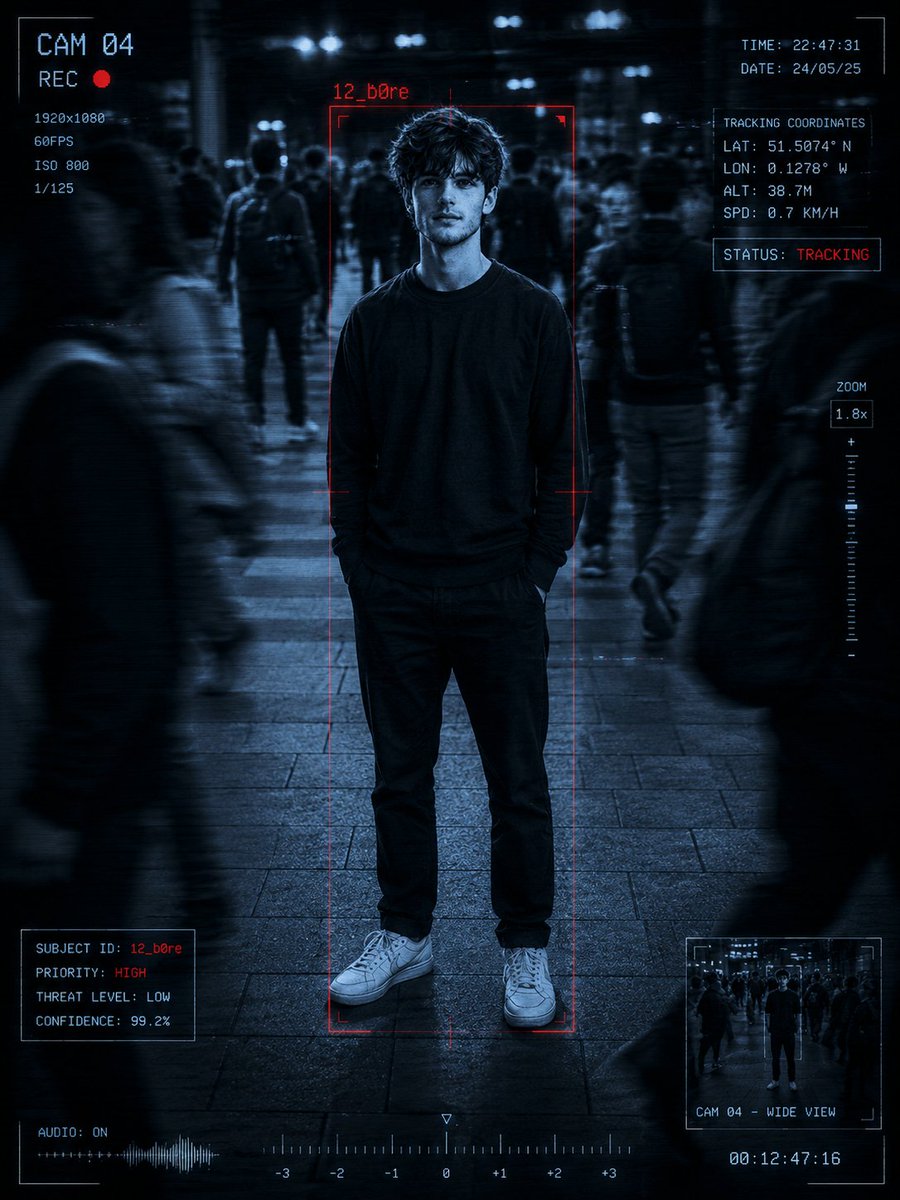
color_palette · monochromecomposition · centeredcomposition · full-bodylighting · low-keymood · tensequality_flags · embedded-text
提示词(原文,逐字保留)
Use my uploaded photo as.
Turn it into a cinematic surveillance / spy-51
camera scene: Keep my exact face, hairstyle, outfit, body proportions, pose, and background structure recognizable.
Add a realistic blue monochrome CCTV filter with dark shadows, scanlines, film grain, and slight motion blur.
Place a red “12_b0re” tracking box around me with futuristic scanner Ul graphics and surveillance overlays like:
• CAM 04
• REC icon
• Tracking coordinates
• Zoom indicator
• Timestamp
• “STATUS: TRACKING”
Add blurred moving people around me to create a realistic surveillance effect, but keep me sharp and in focus. Maintain realistic lighting, skin texture, shadows, and perspective. Make it look like an actual leaked spy-camera frame from a thriller movie.
Style:Ultra realistic, cinematic, high contrast, sharp details, moody atmosphere, surveillance aesthetic, professional color grading,
.
中文译文
使用我上传的照片作为素材。
将其转换为一个电影化的监控/间谍-51
摄像机场景:保留我精确的面部、发型、服装、身体比例、姿势以及背景结构的可识别性。
添加逼真的蓝色单色 CCTV 滤镜,带有深色阴影、扫描线、胶片颗粒以及轻微的运动模糊。
在我周围放置一个红色的 “12_b0re” 追踪框,搭配未来感的扫描仪 UI 图形以及监控叠加层,例如:
• CAM 04
• REC 图标
• 追踪坐标
• 缩放指示器
• 时间戳
• “STATUS: TRACKING”
在我周围添加模糊的移动人物,以营造真实的监控效果,但要让我保持清晰且对焦。保持逼真的光照、皮肤质感、阴影和透视感。使其看起来像一部惊悚电影中真实泄露的间谍摄像机画面。
风格:超现实、电影感、高对比度、锐利细节、阴郁氛围、监控美学、专业调色。
来源与署名
原文由 @harboriis 发布在 X:查看原推文。 本页逐字保留原文并提供机器翻译的中文解读;版权归原作者所有。
同工具的更多提示词
- 写实风格全身肖像:一位优雅的女孩,棕色头发柔和地盘起,妆容华丽,身着一件奢华彩虹渐变纱丽礼服(桃色、黄色、绿色、蓝色、紫色),点缀以大量的金线刺绣(zardo…@AvelyrahnAI
- 打开 Gemini / Grok / GPT Image 2.0 2. 上传你的照片 3. 复制提示词 4. 生成 5. 提示词 ⤵️ 创建一张超逼真的 20…@JamilAI55
- 请勿以任何方式改变面部。需100%完整准确地保留面部特征、比例与神韵。 请创作一张具有照片真实感的艺术长曝光美妆时尚大片人像,使用智能手机或专业相机拍摄,并在…@mehvishs25
- 创作一张世界级的高级足球海报,以现代收藏版编辑插画风格呈现代表 **TEAM_OR_COUNTRY** 的 **PLAYER_NAME**。 如果提供了 **…@Kashberg_0
- 超柔美魅力人像,美丽的年轻女性,温暖的赤褐色头发梳成松散的低发髻,几缕精致的碎发垂落在脸颊一侧。优雅的侧脸姿势,双眼轻柔低垂,嘴唇微启,营造出梦幻浪漫的表情…@jzaib4269
- 创作一张高级现代风格的体育海报,以葡萄牙国家队球衣造型中的克里斯蒂亚诺·罗纳尔多(Cristiano Ronaldo)为主角。采用大胆的编辑式版面布局,以一幅…@ChillaiKalan__