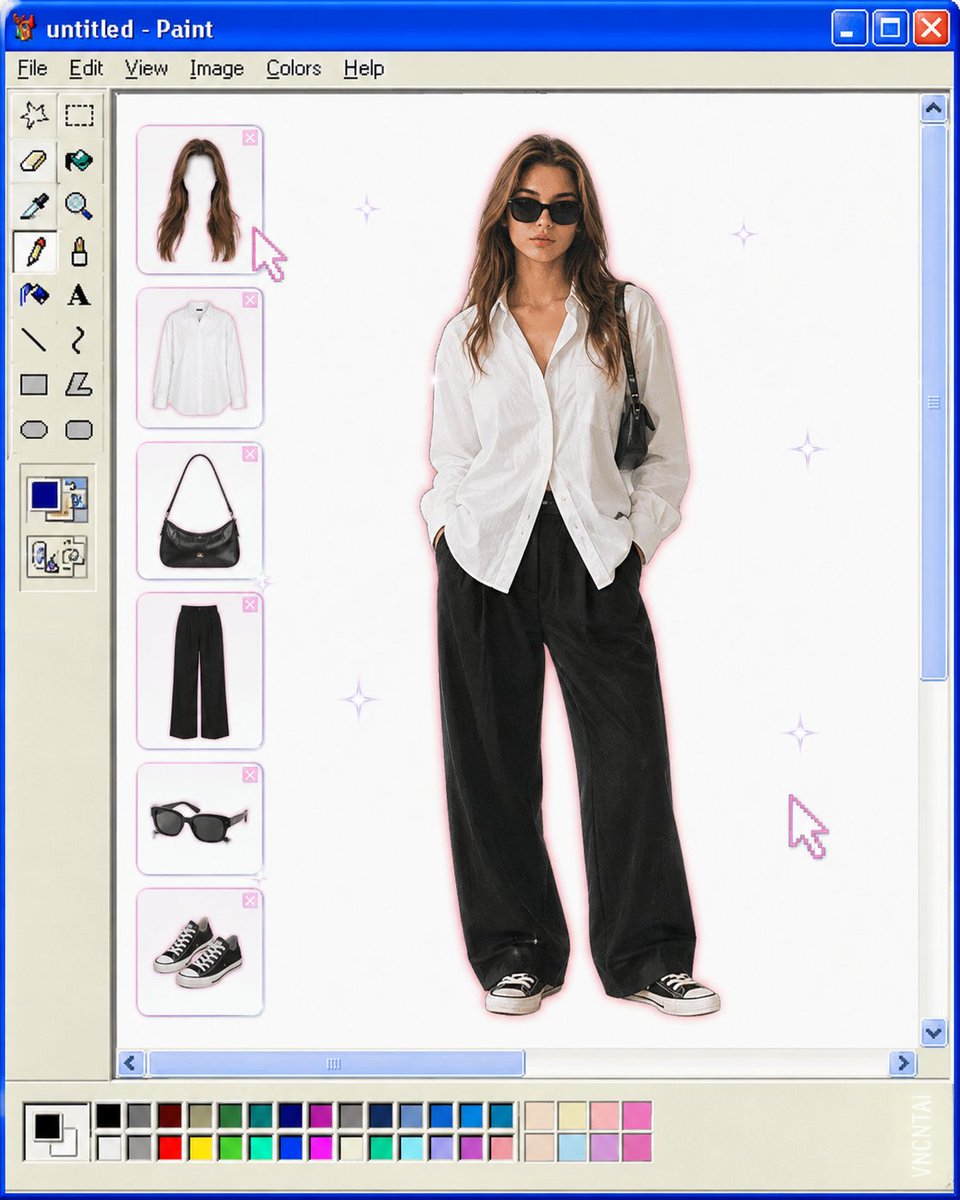
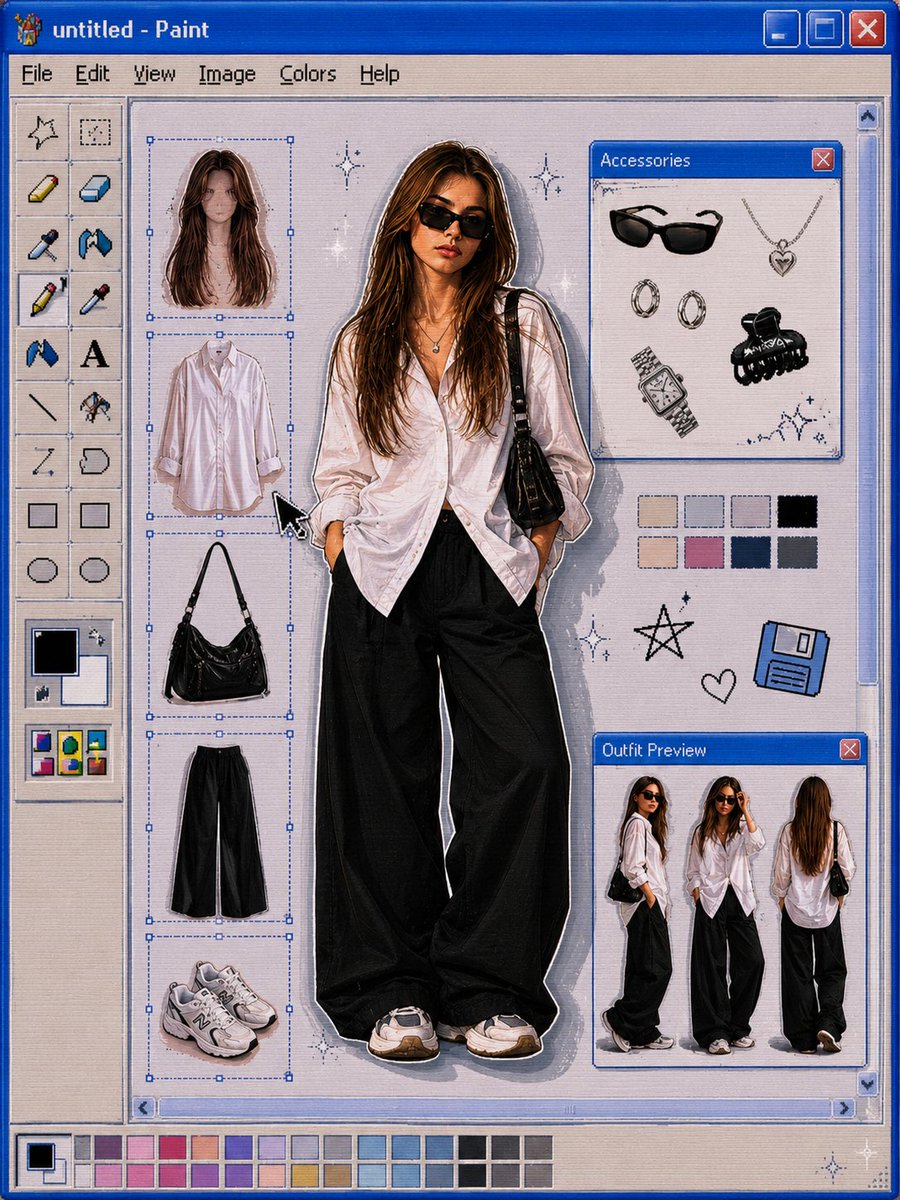
将上传的图片转换为复古 Windows MS Paint 换装界面美学风格。保持主体的全身剪裁居中放置在干净的白色画布上,仿佛置于一个…
分享链接 · https://openimages.ajiang.me/p/2061643870736359616/
color_palette · pastelcomposition · centeredcomposition · full-bodylighting · soft-lightmood · nostalgicmood · playful
提示词(原文,逐字保留)
Transform the uploaded image into a retro Windows MS Paint outfit-builder interface aesthetic. Keep the full-body cutout of the subject centered on a clean white canvas, as if placed inside an old Windows XP / MS Paint workspace. Layout details: Left side: classic MS Paint toolbar with pixel-style icons and old UI elements. A vertical column of floating wardrobe/accessory slots (hair, top, bag, pants, shoes, etc.) shown as detachable outfit pieces. Bottom: a pastel color palette bar similar to old Paint color swatches. Window title bar at top with simple retro naming (e.g. “untitled - Paint”). Subject appears like a digital paper doll / dress-up character. Visual style: Early-2000s internet aesthetic Slight low-resolution softness Airbrushed + scanned magazine feel Soft glow around the subject Tiny sparkle highlights Muted pastel colors with one or two saturated accent colors Minimal shadows Cute, playful, nostalgic UI composition Image treatment: Preserve pose and clothing identity from the original image Cutout edges slightly softened Keep proportions elongated and editorial White negative space for a clean composition Subtle JPEG compression / vintage screen texture Keywords: MS Paint UI, Windows XP aesthetic, digital dress-up game, Y2K nostalgia, paper doll fashion, retro desktop, kawaii editorial, internetcore, soft glow, scrapbook UI, fashion collage.Watermark: Add a subtle watermark in the bottom-right corner of the image. The text should be vertical (rotated 90°) and read “VNCNTAI”. Use Montserrat font, white color with low opacity (semi-transparent), medium size.
中文译文
将上传的图片转换为复古 Windows MS Paint 换装界面美学风格。保持主体的全身剪裁居中放置在干净的白色画布上,仿佛置于一个老旧的 Windows XP / MS Paint 工作区中。布局细节:左侧:经典 MS Paint 工具栏,带像素风格图标和旧版 UI 元素。一列垂直排列的悬浮衣柜/配饰槽(发型、上衣、包包、裤子、鞋子等),显示为可拆卸的服装部件。底部:一条柔和的粉彩色调色板栏,类似老版 Paint 的色样。顶部窗口标题栏,使用简单的复古命名(例如 "untitled - Paint")。主体看起来像数字纸娃娃 / 换装游戏角色。视觉风格:2000 年代初的互联网美学轻微的低分辨率柔和感喷绘 + 扫描杂志质感主体周围的柔光微小的闪光高光柔和的粉彩配色,搭配一两个饱和的点缀色极少阴影可爱、俏皮、怀旧的 UI 构图图像处理:保留原图的姿势和服装特征剪裁边缘略微柔化保持拉长的编辑比例白色负空间以保持构图简洁微妙的 JPEG 压缩 / 复古屏幕纹理关键词:MS Paint UI,Windows XP 美学,数字换装游戏,Y2K 怀旧,纸娃娃时尚,复古桌面,卡哇伊编辑风,internetcore,柔光,剪贴簿 UI,时尚拼贴。水印:在图片右下角添加一个微妙的水印。文字应为垂直方向(旋转 90°),内容为 "VNCNTAI"。使用 Montserrat 字体,白色低不透明度(半透明),中等大小。
来源与署名
原文由 @saniaspeaks_ 发布在 X:查看原推文。 本页逐字保留原文并提供机器翻译的中文解读;版权归原作者所有。
同工具的更多提示词
- 一个年轻女孩的逼真肖像,表情平静自信,随意地将手肘靠在一个真人大小的Roblox角色的肩膀上。 女孩穿着一件超大号的黑色T恤,上面印有醒目的白色和红色涂鸦风格…@ChillaiKalan__
- [地标 / 区域],[城市],[季节或月份],[一天中的时段]。 一张高级的城市素描旅行日记海报,捕捉[地区 / 国家]最美文化目的地之一的日常生活。 游客在…@Goodmanprotocol
- GPT image 2 使用所附图片作为面部参考。精确保留完全一致的面部特征、面部比例以及整体面部和谐度。保持真实的面部不对称性,不进行美颜偏移或面部重新诠释…@saniaspeaks_
- 生成一张 9:16 竖版 RAW 风格的手机镜面自拍。场景是一个虚构高端内衣时尚品牌的仅限邀请试穿活动。一位20多岁的成年日本女性身处一间豪华试衣间内,刚刚试…@iamaiistudio
- 超写实时装编辑部摄影,赛博都市街头服饰宣传大片,拍摄于灯光昏暗、墙面铺有亮面瓷砖并装有电影感荧光顶灯的地下地铁通道中。留着利落黑色波波头、拥有陶瓷般细腻肌肤的…@ChillaiKalan__
- Claude x GPT Image 2 🔥 PROMPT ⬇ ÉLARA MAGAZINE — 奢侈时尚封面编辑 一位空灵般的女人身着到地象牙色礼服,旁边是…@ZephyraLeigh