步骤 10:我并没有花太多时间思考标题,尽管它的设计经历了许多次迭代。为了节省算力额度,我上传了由 GPT Image 2 生成的视频…
分享链接 · https://openimages.ajiang.me/p/2058612759298769209/
color_palette · dark-moodycolor_palette · high-contrastcomposition · multi-panelmood · dramaticmood · futuristicquality_flags · typography-heavy
提示词(原文,逐字保留)
STEP 10: I didn't spend much time thinking about the title, though its design required many iterations. To save credits, I uploaded the clearest frames from the videos generated by GPT Image 2 and wrote the following.
Prompt + Result:
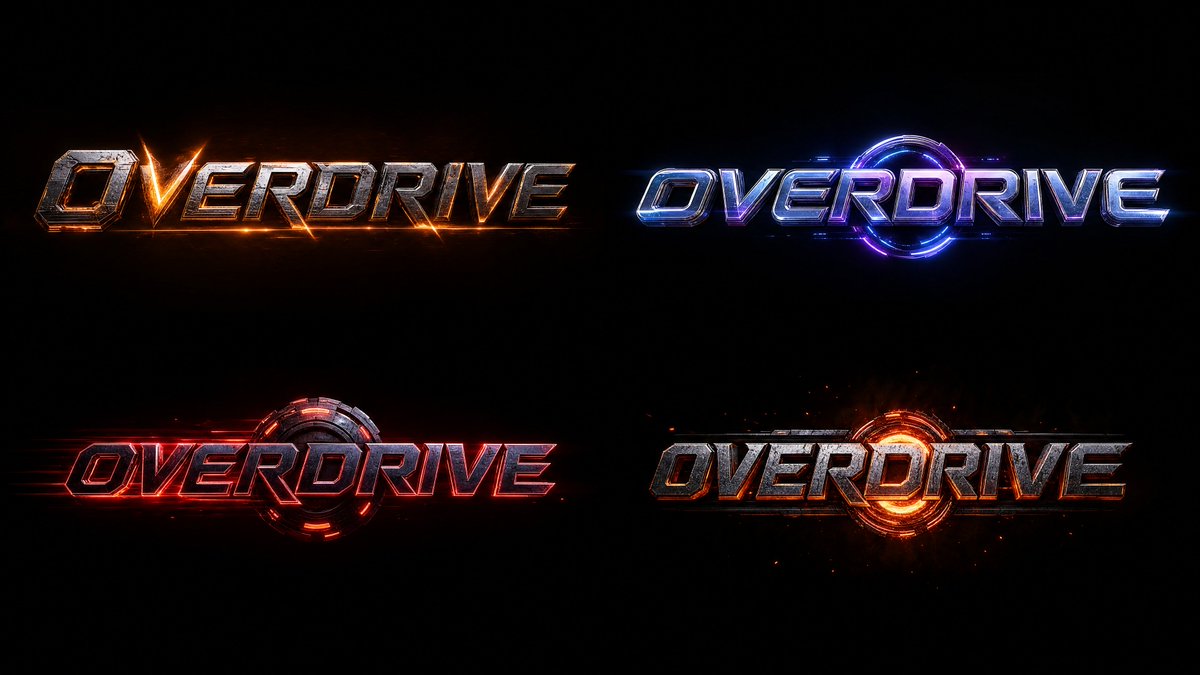
Design a Main Title for a trailer, suitable for a high-end, AAA cinematic game or a big-budget Hollywood film. The design should fit the aesthetics of a cinematic trailer. Please present it on a black, 16:9, 4K-resolution background. Write the word "OVERDRIVE." Using the visual aesthetics from the footage I sent (colors, shapes, design), create a clean, not overly cluttered, studio-style title design. Please arrange four distinct variations on a single sheet, evenly spaced from one another.
This result is the ninth iteration.
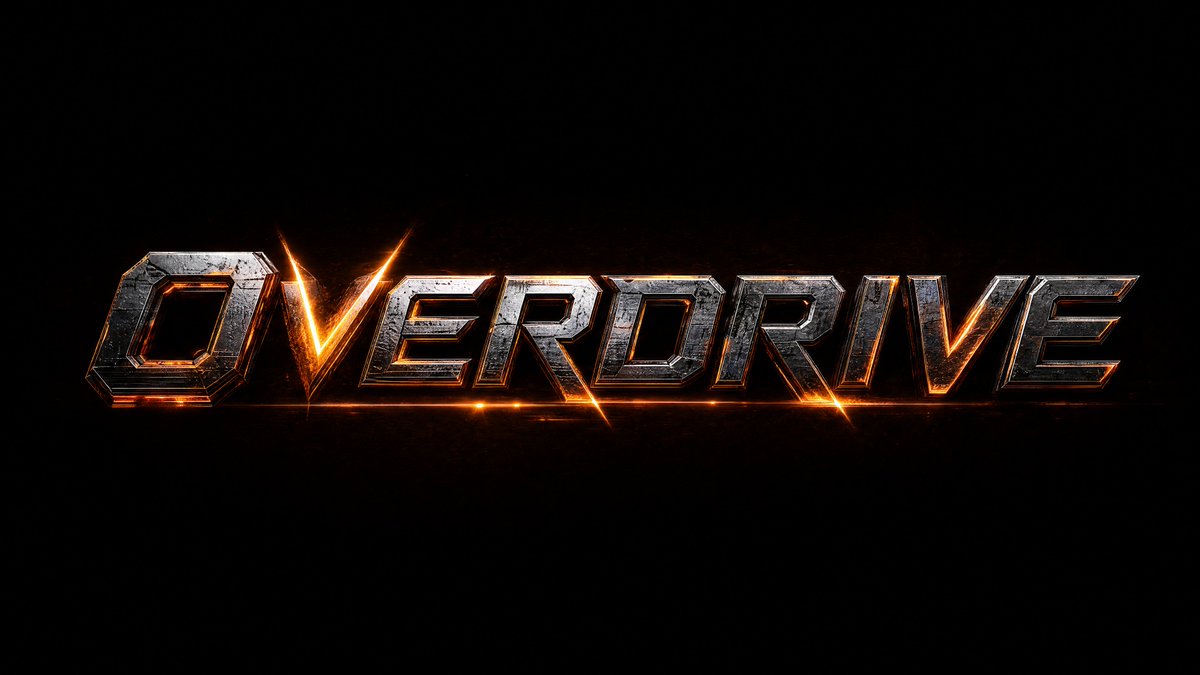
After that, I sent this version and asked: "I liked the top-left version; please create that one. Maintain the original colors, shapes, design, and everything else." It provided the full version as a separate photo, which I then brought to life in SEEDANCE 2, as you can see at the end of the video. If you are interested in the prompt, let me know in the comments and I will answer.
中文译文
步骤 10:我并没有花太多时间思考标题,尽管它的设计经历了许多次迭代。为了节省算力额度,我上传了由 GPT Image 2 生成的视频中最清晰的帧,并写下了以下内容。
提示词 + 效果:
为一段预告片设计一个主标题,适用于高端、3A 级电影级游戏或好莱坞大片。该设计应契合电影级预告片的视觉风格。请将其呈现在黑色、16:9、4K 分辨率的背景上。写出单词 "OVERDRIVE."。请使用我所发送画面的视觉美学(颜色、形状、设计),打造一个简洁、不过于繁杂的影棚式标题设计。请在一张画面上以相互等距的方式排列四种不同的变体。
这个结果是第九次迭代后的成果。
之后,我发送了这一版本并提问:"我喜欢左上角的那一版;请单独制作那一版。保持原有的颜色、形状、设计以及其他所有元素。" 它提供了一张单独的全幅照片,然后我在 SEEDANCE 2 中将其赋予生命,正如你在视频结尾所见。如果你对该提示词感兴趣,请在评论中告诉我,我会回复。
来源与署名
原文由 @bigwonbots 发布在 X:查看原推文。 本页逐字保留原文并提供机器翻译的中文解读;版权归原作者所有。
同工具的更多提示词
- 精致的时尚编辑风格图像,3:4 长宽比,分为两个截然不同的部分。 右半部分: 一位时尚、自信、性感的女性漫步于一个当代建筑风格的室内空间,墙面是浓郁的红墙,沐…@iamaiistudio
- 将上传的肖像转化为高度风格化的3D卡通头像,呈现光泽平滑的乙烯基/塑料质感,极简面部设计,夸张的头部比例,简洁的几何发型轮廓,厚重雕塑感的眉毛,简化化的五官…@egeberkina
- 一个高度精细的3D分层纸艺立体场景模型,设置在一座漂浮的宇宙图书馆内,融合了奇幻与蒸汽朋克美学。画面中心是一位若有所思的年轻探险者,留着夹带银丝的长发,松松地…@Mind_Boticni
- 极度细致的赛博朋克武士忍者战士站在巨大发光的满月之下,神秘未来主义的浪人美学,脸部完全被白色绷带包裹,只露出一只霓虹绿发光之眼,巨大的传统日式笠帽由磨损的木材…@auqibhabib
- 仅将上传的肖像用作身份参考。保留主体的脸型、五官、肤色和发型,但不要复制原始服装、背景、光线或姿势。 创作一幅受中国古代仙侠美学启发、超写实电影级奇幻肖像。主…@Shinning1010
- GPT Image 2 vs Midjourney v8.1 校服的回忆 / The Uniform 提示词 👇👇👇 GPT Image 2 超写实肖像:一位…@ToroJushiAi